You're standing in the bathroom after a shower, reaching for the towel you left just out of reach. Or you're getting up at night, moving through a dim hallway while still half asleep. These are ordinary moments, but they're also the moments when a small loss of balance can become a serious problem, especially when no one else is nearby.
Fall detection for elderly adults is often presented as a gadget conversation. A better starting point is independence. The technology may help someone remain at home, keep familiar routines, and stay connected to trusted people without turning everyday life into a monitored performance.
Table of Contents
- Why This Topic Matters Right Now
- How Fall Detection Works
- How Reliable Is the Technology
- The Part Nobody Talks About
- Matching the Approach to the Person
- Why Movement Still Matters Most
- How Rx360 Fits Into the Picture
- A Simple Starting Checklist
Why This Topic Matters Right Now
A fall doesn't have to happen during something dramatic. It can happen while stepping over a threshold, reaching into a cupboard, or walking from the bedroom to the kitchen. Many older adults continue living active, satisfying lives, and a fall can still occur during a completely normal day.
Falls are the leading cause of injury-related death among older adults in the United States. In 2024, falls among adults aged 65 and older led to approximately 4.5 million emergency-department visits, including about 1.4 million hospitalizations and 3.1 million cases treated and released. Falls also caused more than 43,000 deaths in this age group during that year, according to the Centers for Disease Control and Prevention's falls data.
That information can sound alarming, but it doesn't mean that an older person should stop reaching, walking, traveling, or enjoying life. It means families have a practical reason to think about what happens if someone falls and can't reach a phone.
A useful starting point: fall detection isn't a verdict about someone's abilities. It's a communication layer for a moment when ordinary communication may not be possible.
The CDC also reports that more than one in four adults aged 65 and older falls each year, and that a previous fall doubles the chance of falling again. About one in ten falls causes an injury that restricts activity for at least a day or requires medical attention. These figures help explain why families discuss detection as part of aging in place, alongside mobility, social connection, and a home environment that supports confidence.
The sensible question isn't “Should every older adult be watched?” It's “If a fall happens, what kind of support would the person want, and who should know?”
How Fall Detection Works
A fall-detection system watches for movement patterns that may signal a fall, then follows an alert process chosen in advance. It does not understand the person's situation like a friend or caregiver. Instead, it combines signals such as sudden movement, a change in position, impact, and unusual stillness with rules or algorithms that estimate whether an alert is appropriate.
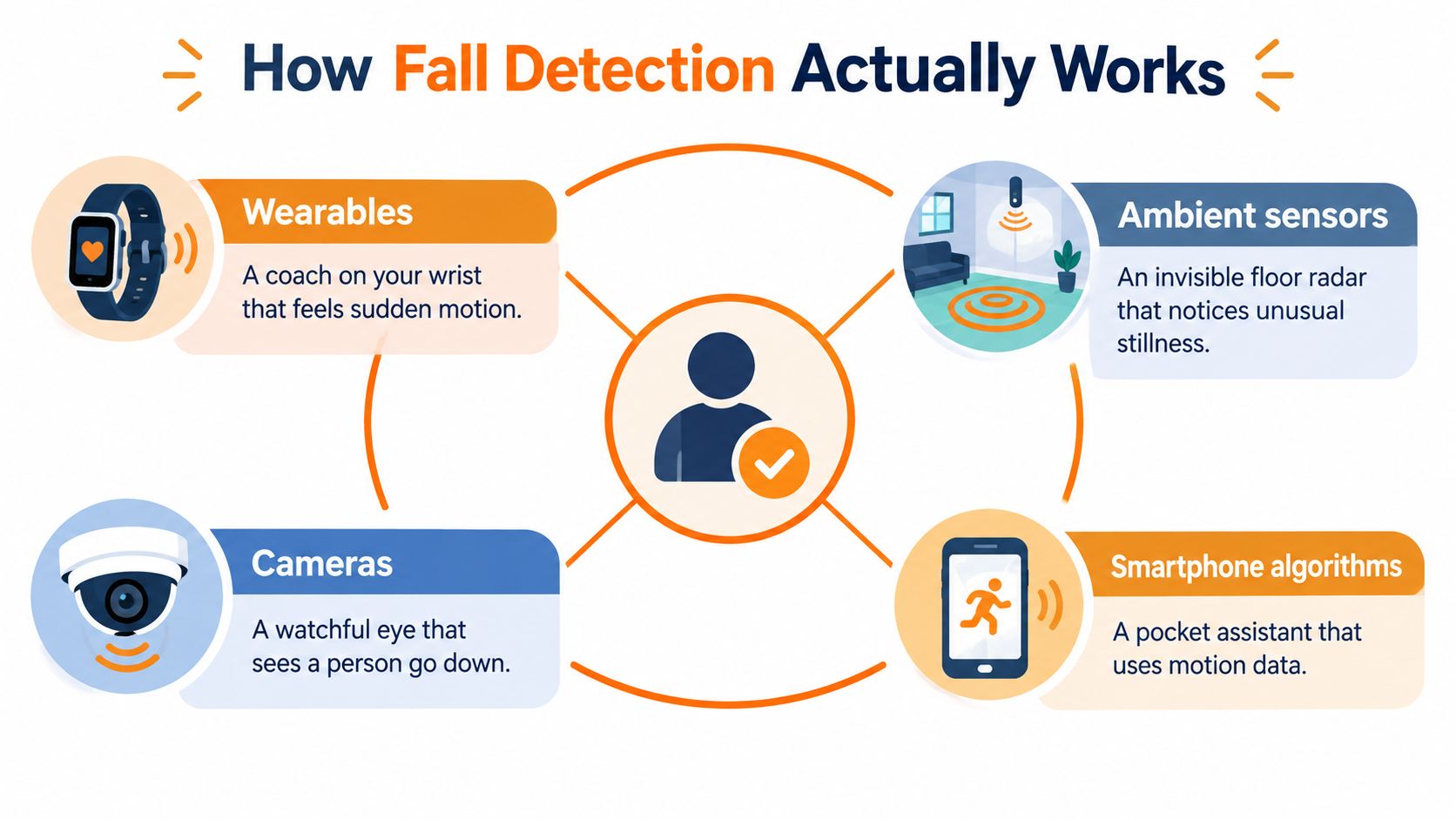
Four ways systems sense a possible fall
Wearables include wristbands, pendants, watches, and other body-worn devices. A wearable acts like a small movement coach on the wrist or around the neck. It can detect a sudden change even when someone is away from home. Its usefulness depends on regular wear, sufficient battery, and a comfortable fit.
Ambient sensors remain in a room instead of being attached to the person. They can monitor movement, presence, or unusual stillness without asking someone to remember a device. This may suit a person who dislikes wristbands or pendants, although room coverage and privacy preferences need careful review.
Cameras with computer vision use visual information to assess posture and movement. They may provide context that a basic motion sensor cannot, but cameras can feel intrusive in private spaces. Clear consent should cover where the cameras are used and whether the system stores images or only derived information.
Smartphone algorithms analyze motion data from a phone someone already carries. The phone can serve as a pocket-based helper, provided it is carried, charged, and positioned well enough to sense movement.
A behavior pattern recognition overview explains how systems can separate ordinary activity from an unusual event. The sensing method is only one part of the design. The alert path also matters. It might offer a chance to cancel, notify a chosen contact, or follow a tiered escalation plan that keeps the older adult in control of who is contacted and why.
A systematic review of wearable fall-detection research found that accelerometers were the most common sensing technology, often paired with gyroscopes. Sensors placed on the trunk, foot, or leg generally produced stronger results. In practical terms, sensor location can matter nearly as much as the measurement itself.
How Reliable Is the Technology
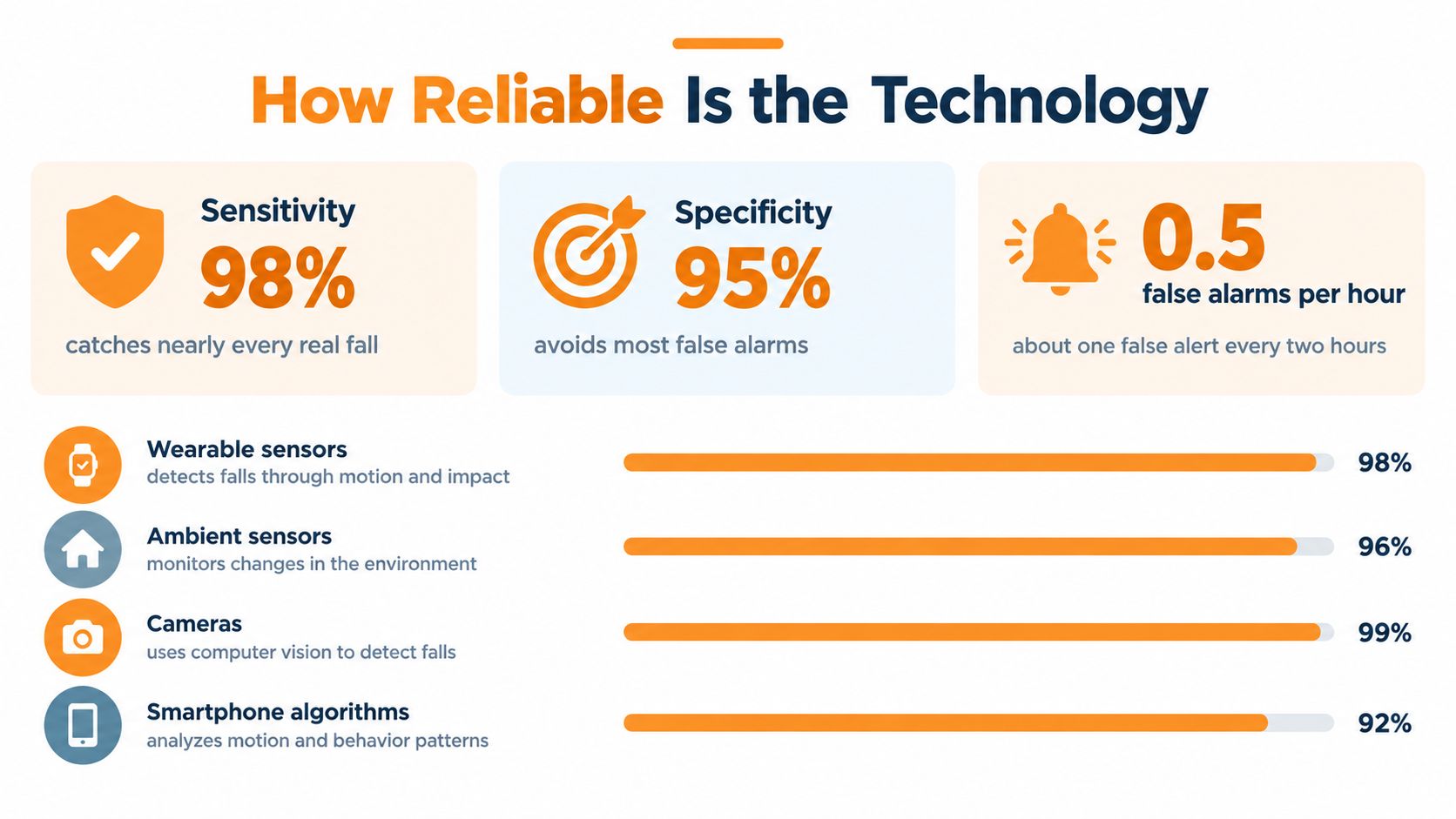
A fall detector can work well in a test and still struggle beside a real armchair, kitchen table, or loose rug. Reliability has several parts. Sensitivity measures how often the system detects an actual fall. Specificity measures how often it correctly identifies ordinary movement as something other than a fall. The false-alarm rate matters too, because repeated alerts can interrupt caregivers and make people less willing to keep using the system.
Controlled testing usually involves a known fall onto a safe surface. Daily life creates messier events. Someone might slide slowly, hit furniture, drop the device, stay still after sitting down, or move in a way the algorithm has not encountered.
What real-world testing shows
A long-duration study followed 16 older adults across 15,500 hours while they used an accelerometry-based detector. The system identified 12 of 15 actual falls, giving it 80.0% sensitivity. After algorithmic refinement, the false-alarm rate dropped to 0.025 alarms per hour, or roughly one false alert every 40 hours of use, according to the real-world accelerometry study.
That result is more useful than a single impressive laboratory score. The detector caught many genuine events, yet missed some. A low false-alert rate can still mean repeated interruptions for a caregiver over extended use.
Practical rule: compare missed events and false alerts together. A system that catches more events may also contact people more often for movements that are not emergencies.
Reported results vary widely between studies. Across the research examined in a review of wearable fall-detection research, accuracy ranged from 47.9% to 100%, sensitivity from 16.7% to 100%, and specificity from 40% to 100%. The differences reflect the sensor used, where it was worn, who took part, the movements tested, and how researchers defined success.
A newer review of 130 academic papers reported that 98.5% relied on simulated falls. Only two studies tested systems against unexpected falls in the intended older-adult population. Laboratory research still has value, but families should ask whether a product has been tested during ordinary life, how it handles false alerts, and what happens after detection.
Fall detection works best as one layer of support. A phone, help button, neighbor, or agreed welfare-check routine may still be needed. The older adult should also choose who receives alerts and when, so the technology supports wellbeing without taking control away from them.
The Part Nobody Talks About
The most important question may not be whether a device can detect a fall. It may be who gets notified, when they're notified, and whether the older adult agreed to that pathway.
One person might feel relief knowing that a trusted family member receives an alert. Another might feel watched if relatives receive updates about movement without clear permission. Both reactions are reasonable. Monitoring changes the relationship between independence and support, so the person being monitored needs a real voice in the arrangement.
A 2025 qualitative study of eight older adults, including people with and without dementia, found that acceptance depended on openness to intervention, whether concerns were addressed, and whether participants believed the technology supported aging in place. The reported themes included autonomy, discomfort, fear, and the need for active intervention, as described in the qualitative study on monitoring technology.
Separate emergencies from everyday updates
An emergency alert and a routine wellness update don't need to follow the same rules.
- Emergency escalation: A possible fall might first create a short cancellation window, then contact a chosen person if no response arrives.
- Routine information: A summary of activity or daily patterns may be shared less often, with separate permission.
- Personal control: The older adult should know who receives information and how to change that choice.
- Data choices: Consent should cover what is collected, how long it is retained, and who can access it.
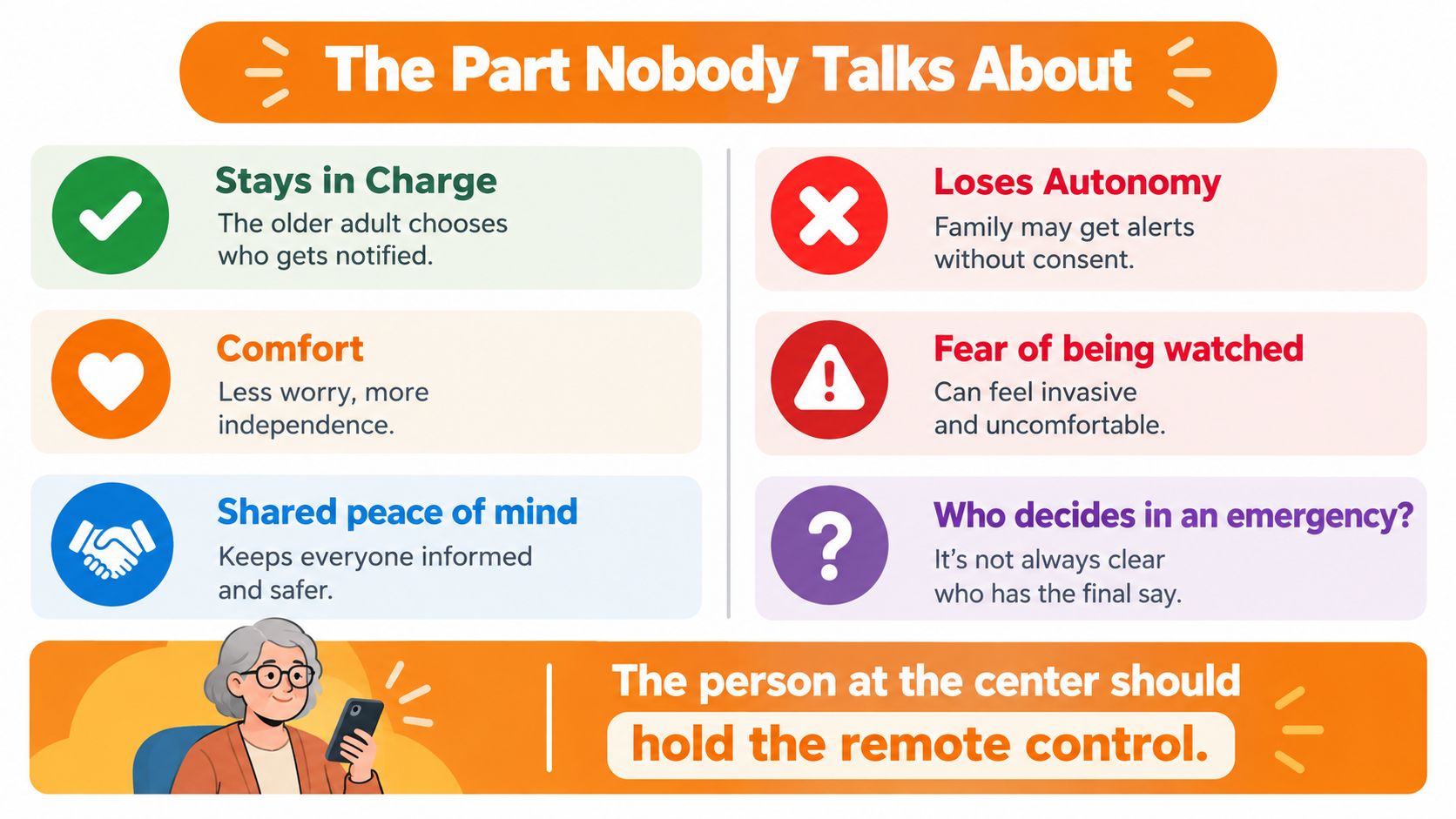
A cancellation window matters because not every alert represents an emergency. Someone may sit down quickly, drop a wearable, or move in an unusual way. Giving the person a chance to say “I'm fine” can reduce unnecessary escalation and preserve dignity.
The best arrangement is negotiated rather than imposed. The older adult can decide whether a partner, family member, care coordinator, or clinician receives an alert. They can also decide which events deserve immediate contact and which information should remain private.
Matching the Approach to the Person
The right sensing approach depends less on a product label and more on daily life. A person who walks outdoors may value portability. Someone who spends most of the day at home may prefer room-based sensing. A privacy-first user may want to avoid cameras, while a technology-comfortable person may already carry a smartphone everywhere.
The table below offers a starting point, not a ranking.
| Approach | Best Environment | Main Strength | Watch Out For |
|---|---|---|---|
| Wearables | Active routines, indoor and outdoor movement | Directly senses movement and can travel with the person | Charging, comfort, and consistent use |
| Ambient sensors | Mostly-home routines | Works without asking someone to wear a device | Coverage, placement, and privacy questions |
| Cameras with computer vision | Spaces where visual context is acceptable | Can interpret posture and movement in the room | Consent and sensitivity around private spaces |
| Smartphone algorithms | People who reliably carry a phone | Uses a familiar device and existing motion data | The phone may be left behind or out of position |
A person who takes frequent walks may find a wearable more practical than an ambient system that only covers rooms at home. Someone who refuses pendants may consider ambient sensing, provided the placement and information-sharing rules feel acceptable. A smartphone approach may suit someone who already uses a phone confidently, but it won't help much if the phone is charging in another room.
The strongest choice is usually the one that fits naturally into an existing routine. A device that stays in a drawer contributes nothing. Before comparing brands, families can use fall risk assessment tools to organize questions about movement, home routines, communication, and personal preferences.
A simple test: if the approach requires a new habit, ask whether that habit fits the person's ordinary day.
Why Movement Still Matters Most
Detection begins after a possible fall. Positive aging routines focus on everything that happens before that moment, including walking, balance, functional movement, sleep, and time with other people.
A World Health Organization evidence review covered 64 randomized controlled trials and 14,306 participants. It found that exercise reduced the rate of falls among older adults living in the community by 23%, with a reported rate ratio of 0.77 and a 95% confidence interval of 0.71 to 0.83. Programs involving at least three hours of exercise per week and including balance and functional exercises were associated with an estimated 42% reduction in fall rate, with an incidence-rate ratio of 0.58 and a 95% confidence interval of 0.45 to 0.76, according to the World Health Organization evidence review.
Those figures describe research results, not a promise for any individual. They also show why fall detection shouldn't be treated as a replacement for movement. A system can help communicate after an event, while regular activity supports the broader goal of maintaining mobility and independence.
Everyday wellness has several ingredients
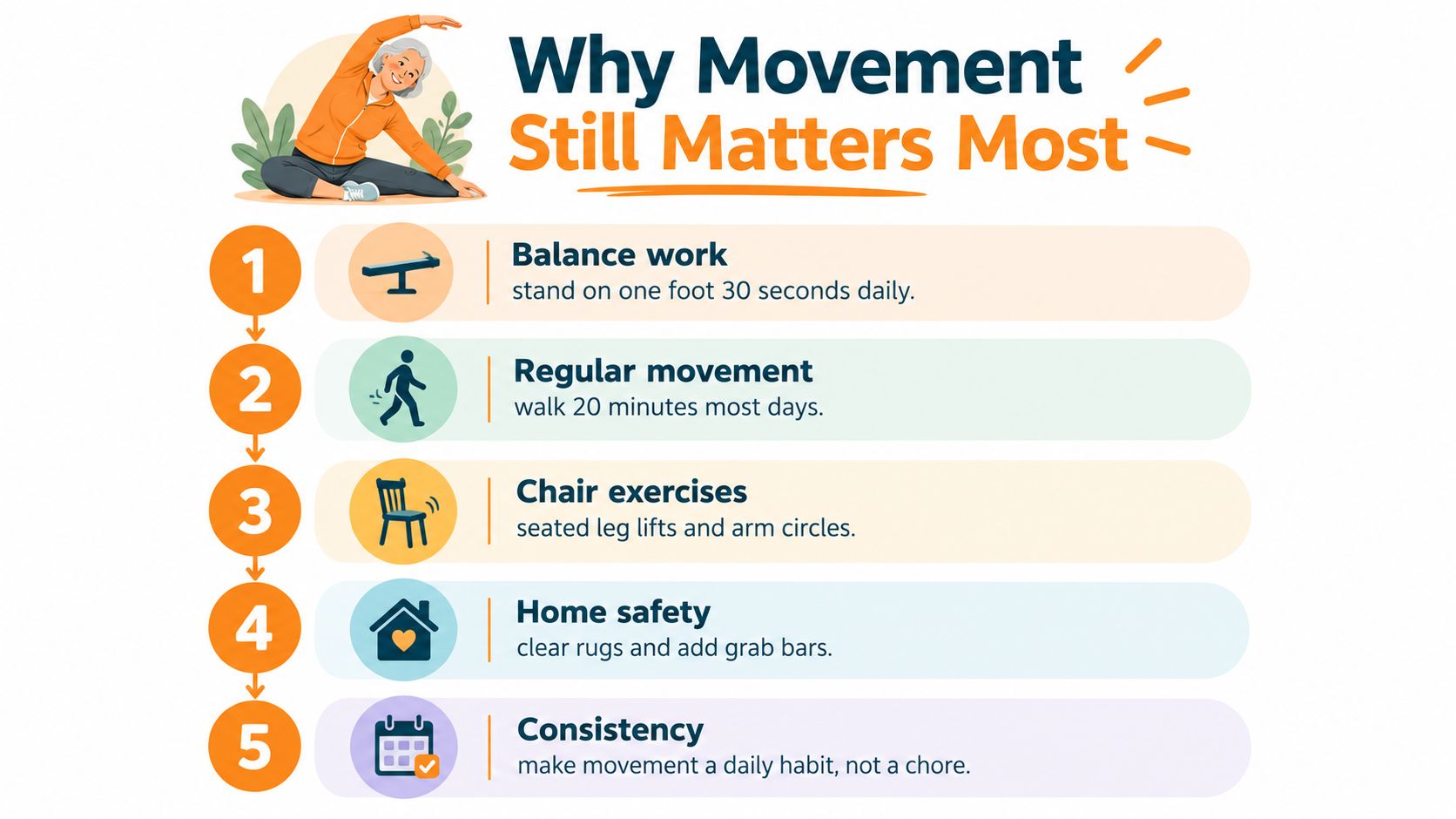
Balance work can be included in a routine in a way that feels manageable and familiar. Functional movement connects more directly to daily activities such as standing, turning, and walking.
Regular movement might involve a walk with a friend, gentle stretching, or another activity that keeps the body engaged. Social movement adds conversation and connection, which can make a routine easier to maintain.
Positive routines also include restful sleep and a home setup that supports clear movement. A detection system can sit alongside those habits without making the person feel defined by risk.
The useful frame is not “technology or exercise.” It's “movement, connection, and a communication backup.” Each serves a different purpose.
How Rx360 Fits Into the Picture
A fall alert only becomes useful when it connects to a response that people understand. Rx360 brings Health Insights, Smart Technology, and Connected Care together as a connected-care layer, with capabilities that can support detected-fall monitoring and alerts to chosen caregivers or loved ones.
The important design question remains personal control. An older adult should be able to participate in deciding who receives notifications and when. A family member might receive a detected-fall alert, while a clinician or care coordinator may be part of a broader support conversation. Those roles shouldn't be treated as interchangeable.
The connected health solutions overview describes the wider idea of coordinated support. In practical terms, the loop can look like this:
- A sensing system identifies a possible event.
- The person has an opportunity to respond or cancel when the setup allows it.
- A selected contact receives information according to the agreed notification rules.
- The support network follows the communication plan rather than guessing what to do.
That structure helps keep technology in its proper role. It can share information and support connection, but it doesn't replace the older adult's preferences, human judgment, or everyday relationships.
A Simple Starting Checklist
You don't need to buy a device before beginning the conversation. A calm first step is to ask what would help someone feel more independent, not what would make other people feel more in control.
- Look around the home: Notice loose rugs, crowded walkways, poor lighting, and places where reaching or turning feels awkward. The aim is to understand the environment, not to create fear.
- Agree on notification rules: Decide who should receive a possible-fall alert, what counts as an urgent contact, and when a person can cancel an alert.
- Keep a backup communication plan: A detection system may miss an event or lose power. Agree on another way to contact a trusted person.
- Discuss movement goals: Ask a clinician about balance and mobility work if that conversation is appropriate for the individual. Keep the focus on maintaining enjoyable routines.
- Review preferences periodically: People's routines and comfort with technology can change. Revisit who receives information, what gets shared, and whether the approach still feels respectful.
The older adult should lead these choices as much as possible. A family can offer help without taking ownership of the person's home, data, or daily decisions.
Start small. A clear conversation, a practical home review, and an agreed response plan can provide a stronger foundation than a device chosen quickly and left unused.
Rx360 offers Health Insights, Smart Technology, and Connected Care to help connect detected events with the people an older adult chooses to involve. Visit Rx360 to explore how its connected-care approach can support aging in place while keeping independence and personal preferences at the center.
Lower-Risk Medication Plan Checklist
Below is a practical checklist and step plan you can implement into your daily life:
-
List all medications
Include prescriptions, over-the-counter drugs, supplements, sleep aids, creams, patches, eye drops, and inhalers.
-
Mark fall-risk drugs
Flag medicines that cause dizziness, sleepiness, confusion, blurred vision, low blood pressure, or low blood sugar.
-
Ask for a medication review
Bring the list to a pharmacist or prescriber.
-
Review after any warning sign
Request a new medication check after a fall, near-fall, new prescription, dose change, dizziness, or confusion.