
You're probably here because someone has already told you to take off your watch for an MRI, and the rule feels broader than it should. Maybe it's a plastic sport watch. Maybe it's a smartwatch you use every day for messages, reminders, or health tracking. Maybe a family member depends on that device to stay connected, and now the MRI staff is saying it has to come off.
That question is reasonable. It's also where a lot of confusion starts.
Many individuals seek an MRI safe watch as if there's a simple consumer answer. In practice, MRI safety works the opposite way. The safest approach isn't finding a clever exception. It's following a controlled process that removes uncertainty before you ever get near the scanner. Mainstream patient guidance says watches should be removed before an MRI, and at least one major watch maker also advises removing its watches before going in or near an operating MRI machine, as explained by RadiologyInfo's MRI safety guidance.
Table of Contents
- That Pre-MRI Moment The Question About Your Watch
- Why Even Small Watches Are a Big Deal in an MRI
- How to Check Your Watch for MRI Compatibility
- Smartwatches Fitness Trackers and Medical Implants
- Your Pre-Scan Safety Checklist as a Patient or Caregiver
- Safer Workflows for Connected Seniors and Caregivers
- The Final Verdict on MRI Safe Watches
That Pre-MRI Moment The Question About Your Watch
The conversation usually happens fast. A technologist is reviewing the screening form. You've already emptied your pockets, handed over your phone, and taken off your necklace. Then they point to your wrist.
“Your watch too.”
That's the moment people pause. If the watch looks small, lightweight, or mostly plastic, the rule can feel excessive. Smartwatches create even more doubt because they feel more like health tools than jewelry. I understand why patients push back there. The device may hold medication reminders, emergency contacts, heart rate history, or simple day-to-day reassurance.
But MRI safety doesn't reward educated guesses.
A watch isn't judged by how harmless it looks from the outside. Staff have to think about hidden metal, charging coils, sensors, batteries, adhesives, clasps, screws, and the way the device behaves in a strong magnetic and radiofrequency environment. That's why the practical question in radiology isn't usually “Is there an MRI safe watch I can wear?” It's “At what point must this come off so nobody gets hurt and the scan stays reliable?”
In the MRI world, “probably fine” is not a safety category.
This is one place where professional workflow matters more than consumer marketing. A watch sold as rugged, waterproof, titanium, medical, or fitness-focused still doesn't automatically fit the rules of an MRI suite. Even if a device isn't pulled like a projectile, it may still heat, malfunction, or distort the images the radiologist needs to read.
That's why experienced MRI staff sound firm on this point. They're not being difficult. They're stripping away ambiguity before it reaches the scanner room.
Why Even Small Watches Are a Big Deal in an MRI
A watch can create problems in an MRI for three separate reasons. People often know about the magnet part. They're less aware of the heating part, and they almost never think about what the watch does to the images.
Three different hazards, one simple rule
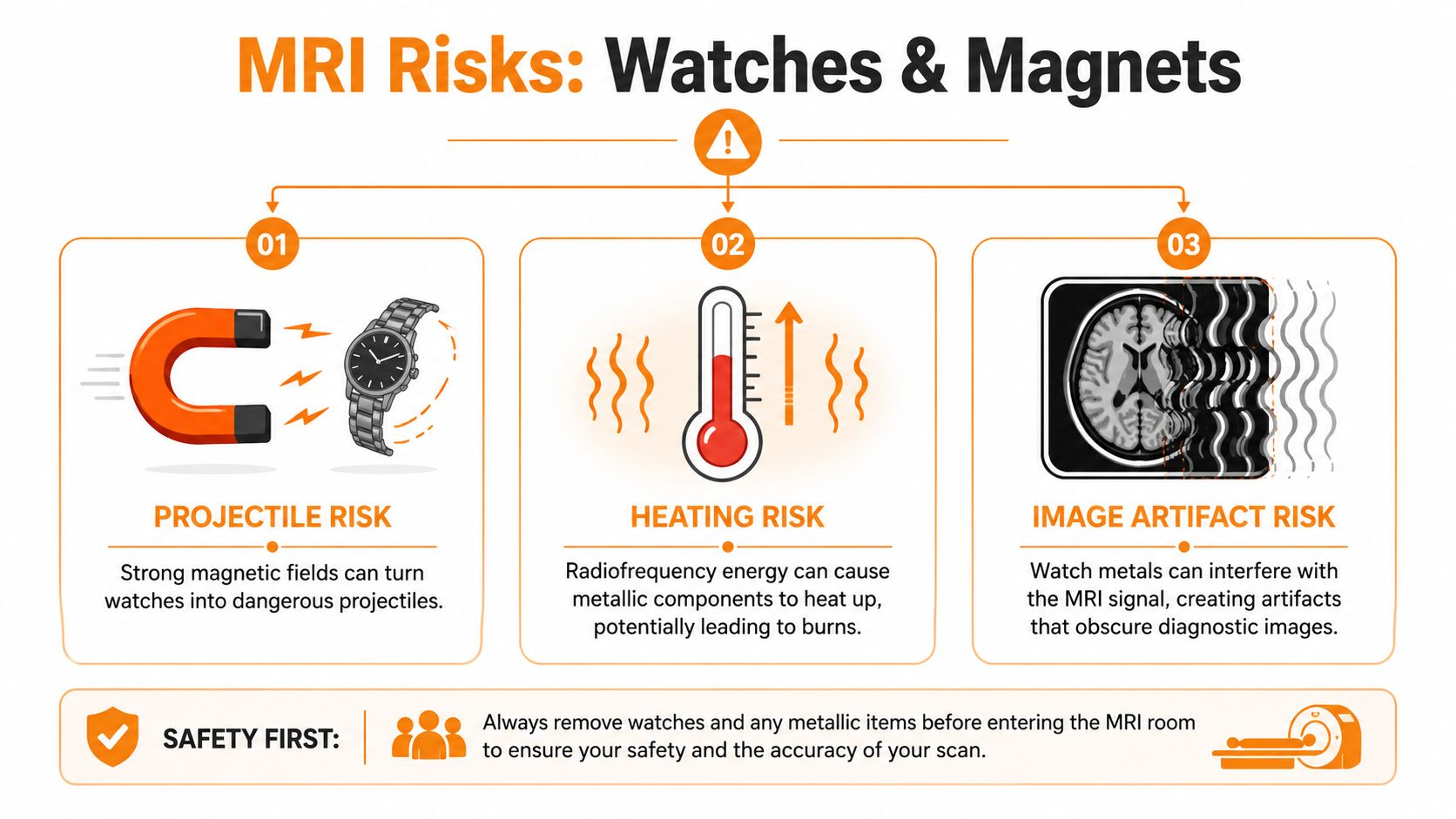
First is projectile risk. If a watch contains ferromagnetic parts, the MRI magnet can pull on it. People imagine this only applies to big metal tools. In reality, MRI staff worry about any object that can move unexpectedly, twist, tug, or get pulled from the body. Even a small object becomes dangerous if it accelerates toward the scanner or shifts while someone is being positioned.
Second is heating. MRI uses radiofrequency energy during imaging. Conductive components can act in ways patients don't expect, especially when they sit against the skin in a band, case, buckle, or sensor assembly. Heat injury matters a lot in MRI. A narrative review found that 59% of the FDA's MAUDE MRI adverse-event database in 2019 was related to thermal injury, and it also notes that burns are consistently the most common MRI adverse event, as described in this MRI safety review on thermal injuries and field strength.
Third is image artifact. Even when a watch doesn't fly and doesn't heat enough to injure someone, it can still interfere with the MRI signal. That interference can create shadowing, distortion, or signal loss. If the exam is for the wrist, forearm, brain, cervical spine, or upper chest, a watch near the field can ruin the study or force repeat imaging.
Why the burn risk gets missed
Burns surprise people because they associate MRI with magnets, not heat. The better analogy is a stovetop you can't see. The problem isn't just whether the object is magnetic. The problem is whether the material can interact with the MRI environment in a way that concentrates energy.
Modern clinical MRI commonly uses 1.5T and 3T systems, with 7T scanners increasingly used, and the same review explains that RF heating and device-heating concerns can rise as field strength increases. The review also notes that the FDA has deemed static magnetic field strengths up to 8T safe for humans older than 1 month. That doesn't mean every object at those field strengths is safe. It means the environment is safe for people under proper conditions. Personal devices are a separate question.
Practical rule: If a watch has metal, electronics, charging components, or unknown internal parts, treat it as something that belongs outside the MRI room.
The simplest safe behavior comes from that logic. Remove the watch before entering the controlled area, not after staff are already trying to position you for the scan.
How to Check Your Watch for MRI Compatibility
If you're trying to sort fact from marketing, don't start with product reviews. Start with labeling and manufacturer documentation.
What labels matter
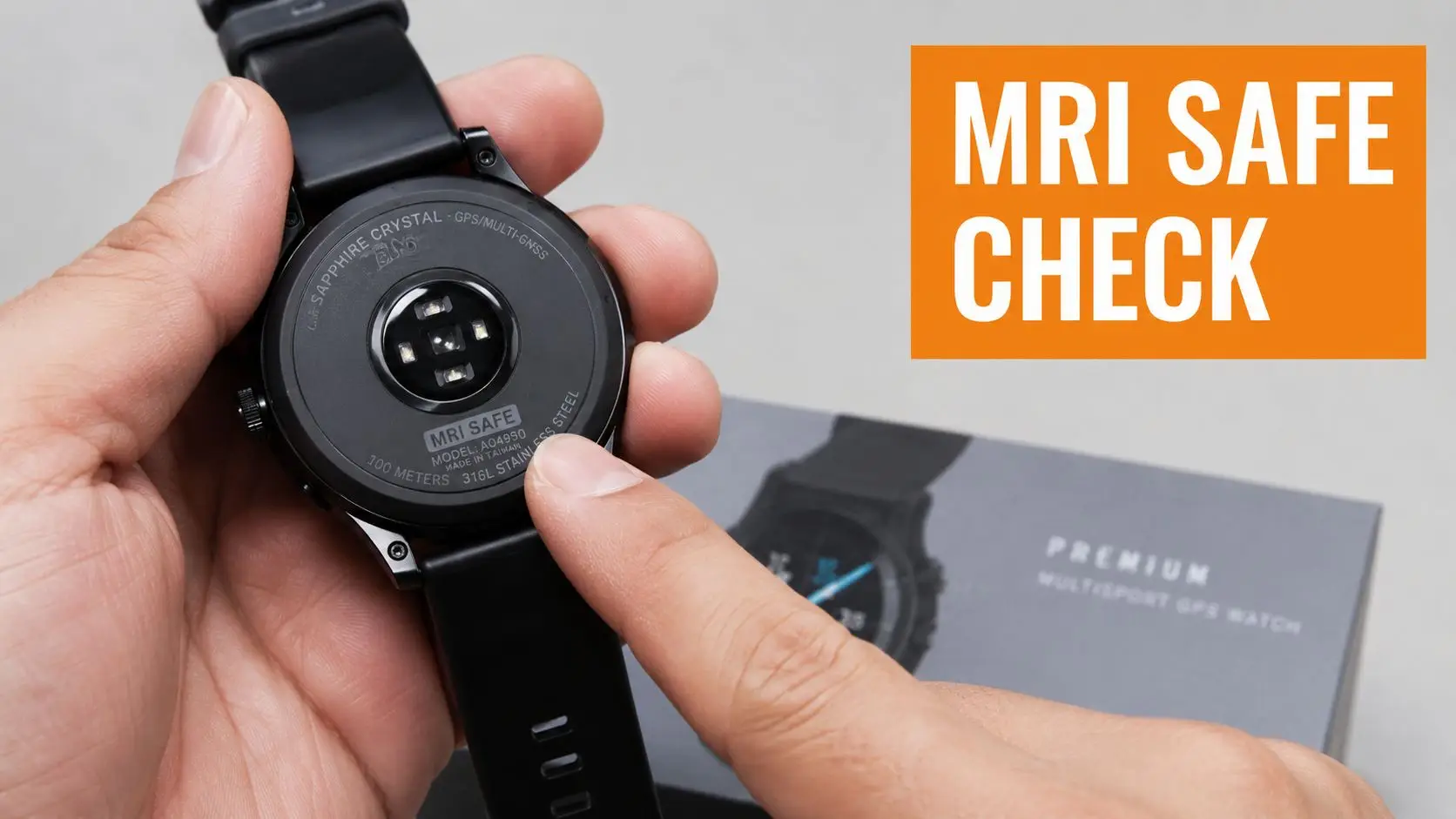
In MRI practice, the useful categories are MR Safe, MR Conditional, and MR Unsafe. Patients often assume those terms are interchangeable with “seems okay” or “works near magnets.” They aren't.
MR Safe means the item is appropriate for the MRI environment without known hazards under the relevant standards. For a watch, that's a very high bar. One expert source notes that MRI-safe watches must be built from non-magnetic, non-ferrous materials and keep electronic and battery performance stable in the MRI suite. The same source adds practical qualification criteria such as surviving Zone 4 exposure, retaining battery life after prolonged high-field exposure, and maintaining software and app functionality after 12 months of intermittent MRI exposure, according to this discussion of MRI-safe watch qualification criteria.
MR Conditional means the item may be used only under specified conditions. Those conditions can include scanner type, field strength, positioning, duration, or other handling rules. If the manufacturer doesn't give you those details, you don't have enough information.
MR Unsafe is the easiest category to handle. It stays out.
How I'd verify any watch before trusting it
Most consumer watch owners won't find a formal MRI designation in normal advertising copy. That's why the verification process matters more than the sales page.
- Check the official manual. Look in the safety, warnings, or technical specifications section. You're looking for explicit MRI language, not broad statements about durability.
- Review the manufacturer's support pages. Some companies give a direct instruction to remove the watch near MRI equipment. If they do, that settles it.
- Ask customer support for a written answer. If they can't provide clear MR labeling, assume the device isn't approved for MRI use.
- Tell the MRI team exactly what model you have. Bring the model name if needed, but don't bring the watch into the MRI room for identification.
A short explainer can help if you want a visual sense of how MRI safety labeling works:
If there's no explicit MR labeling from the manufacturer, the safest decision is simple. Remove it. In clinical workflow, unknown means unsafe until proven otherwise.
Smartwatches Fitness Trackers and Medical Implants
The hardest devices to explain are the ones people rely on every day. Apple Watch, Samsung Galaxy Watch, Fitbit, Garmin, and similar wearables don't feel like risky objects because they're small, familiar, and built for the body. MRI safety still treats them with caution.
Why consumer wearables fail the MRI test
Smartwatches and trackers combine several features that raise concerns in MRI settings:
| Device Type | Primary MRI Risks | General Recommendation |
|---|---|---|
| Basic digital watch | Hidden metal components, heating, image artifact | Remove before entering the MRI-controlled area |
| Smartwatch | Battery, wireless charging coil, antennas, sensors, internal metal parts, software damage | Remove before entering the MRI-controlled area |
| Fitness tracker | Conductive components, clasp hardware, heating, device malfunction | Remove before entering the MRI-controlled area |
| Hybrid analog-digital watch | Mixed materials, magnets in closures or sensors, image interference | Remove before entering the MRI-controlled area |
The problem isn't just one part. It's the combination. A smartwatch may contain a battery, charging system, haptic hardware, speakers, sensors, and tiny ferromagnetic parts. The band may be silicone while the watch body contains multiple conductive and magnetic elements you can't evaluate by sight. Even if the housing seems mild, the internal design may not be.
That's why MRI staff don't negotiate based on appearance. “It's mostly plastic” doesn't answer the essential safety questions.
If a wearable was designed for daily life, that doesn't mean it was tested for the scanner room.
MR Conditional does not mean generally safe
Implanted devices help clarify the language. Boston Scientific states that WATCHMAN implants are MR Conditional, and earlier devices may require a continuous scan limit of 15 minutes, as shown on Boston Scientific's WATCHMAN MRI information page. That wording matters because it shows MRI compatibility depends on the exact device and exact conditions.
That same principle is why consumer watches are rarely good candidates for exceptions. An implant company may provide model-specific instructions for trained clinicians, including timing limits and scan conditions. A consumer smartwatch usually doesn't come with that kind of MRI protocol.
So if you have both a wearable and an implant, treat them as two separate screening issues. The implant may still allow scanning under managed conditions. The watch still comes off.
Your Pre-Scan Safety Checklist as a Patient or Caregiver
MRI safety works best when patients understand the flow of the department. The scanner room doesn't start at the scanner. It starts with access control.
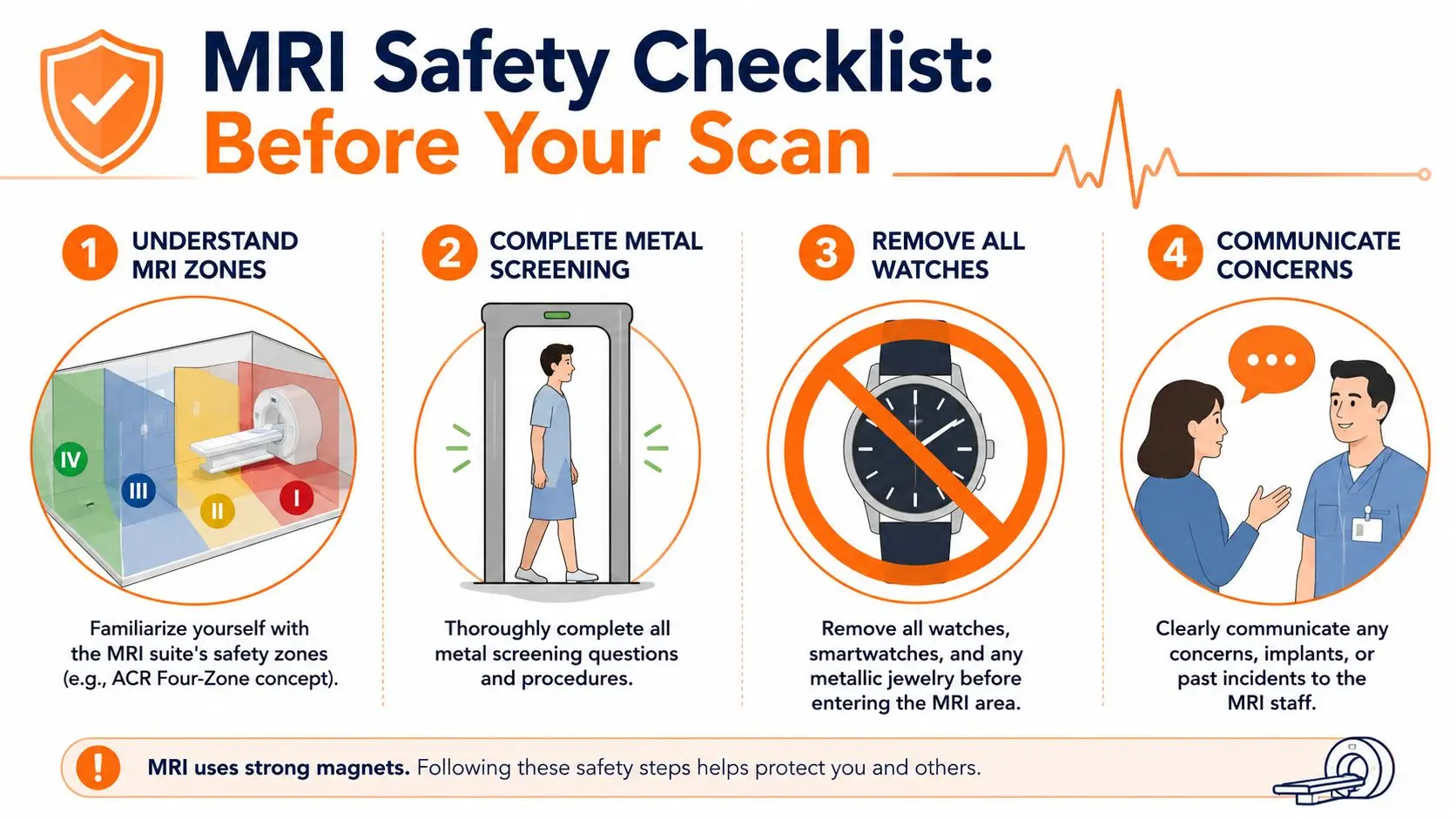
What the four-zone model means for you
The American College of Radiology uses a four-zone model for MRI areas, with Zone 4 being the MRI room itself where the magnetic field is strongest and projectile risk is highest. Safety guidance highlighted by RSNA notes that 74% of MRI incidents could have been prevented by following standard safety practices, which is why screening and access control happen before a patient reaches the scanner room, as outlined in RSNA's discussion of MRI safety issues and zoning.
For patients, that means the repeated questions are not paperwork theater. Staff are building layers of prevention. The goal is to stop the wrong object, wrong implant history, or wrong assumption before it reaches Zone 4.
A checklist that prevents last-minute problems
Use this as your own routine before you leave home or before you change into a gown:
- Name every device you wear or carry. Tell the technologist about watches, hearing devices, patches, glucose devices, jewelry, and anything implanted. Don't wait for staff to notice it.
- Empty more than your pockets. Check wrists, hair, bra straps, belts, shoes, and jacket linings. People often remember keys and forget a watch clasp or tracker band.
- Use the locker, not the “I'll hold it for a second” method. Personal items should be stored fully outside the controlled area.
- Bring implant details if you have them. A device card, model name, or operative record can save time and reduce guesswork.
- Ask before entering the next door. If you're unsure about an item, stop and ask in Zone 2 or Zone 3, not at the threshold of Zone 4.
A caregiver can help here by doing one final visual check. In real practice, that extra pair of eyes catches the forgotten smartwatch more often than people realize.
The safest MRI patients aren't the ones who know all the physics. They're the ones who answer screening questions carefully and remove personal devices early.
Safer Workflows for Connected Seniors and Caregivers
For many older adults, a watch isn't just a watch. It may be a communication device, a reminder system, a wellness prompt, or part of a family's daily rhythm. Taking it off can feel like losing a safety net right when medical stress is already high.
That concern is valid. The answer is to separate care continuity from wearing the device during the scan.
Keep the care plan, remove the hardware

Families do better when they plan the MRI day like a temporary device-off period, not like a break in support. That means deciding ahead of time who has appointment details, who receives updates, where the watch will be stored, and how the person will reconnect to their normal routine after the exam.
For seniors aging in place, that workflow matters more than searching for a miracle wearable. The watch may need to come off, but the support network doesn't. A connected care platform can keep communication organized around the appointment, the transportation plan, and any follow-up tasks after the scan. That's the more durable solution for real life.
Some families use a centralized digital workflow such as Rx360's connected care platform to keep caregivers, loved ones, and care plans aligned before and after appointments. The point isn't to force hardware into the MRI environment. It's to make sure the person is still supported when hardware has to be removed.
What families should do on scan day
A good caregiver workflow is simple:
- Before leaving home, confirm what needs to come off and where it will be placed.
- During check-in, make one person responsible for communicating implants, medications, and wearable devices.
- During the scan, rely on the clinic's process and agreed family communication plan.
- After the scan, put the wearable back on only after staff say it's appropriate and the person has fully cleared the MRI area.
This approach lowers stress for everyone. It also helps older adults keep their independence. They don't need to memorize every MRI rule if the care circle is organized and the handoff is clean.
The Final Verdict on MRI Safe Watches
Most consumers aren't going to find a universally wearable MRI safe watch for routine use in MRI departments. That's the honest answer.
The safer and more practical answer is process. Personal watches come off. Staff screen for risk before the scanner room. Unknown devices are treated cautiously. If a device is designed for MRI use, it should have explicit labeling and clear conditions from the manufacturer. If it doesn't, it doesn't belong in the MRI environment.
This rule protects against three things patients care about most. Injury, failed scans, and damaged devices.
If you're a patient, don't spend your energy trying to argue your watch into the room. Spend it on the steps that improve safety. Bring implant information. Tell the technologist about every wearable and every procedure you've had. Remove the watch early. Ask questions before you reach the scanner door.
That's what works in real departments. The best MRI strategy isn't finding a special consumer watch. It's respecting the screening process that keeps patients, families, and staff safe.
If you're helping an older adult stay independent while still coordinating appointments, updates, and follow-up care, Rx360 offers a practical way to keep that circle of support connected even when a wearable has to come off for an MRI.
Lower-Risk Medication Plan Checklist
Below is a practical checklist and step plan you can implement into your daily life:
-
List all medications
Include prescriptions, over-the-counter drugs, supplements, sleep aids, creams, patches, eye drops, and inhalers.
-
Mark fall-risk drugs
Flag medicines that cause dizziness, sleepiness, confusion, blurred vision, low blood pressure, or low blood sugar.
-
Ask for a medication review
Bring the list to a pharmacist or prescriber.
-
Review after any warning sign
Request a new medication check after a fall, near-fall, new prescription, dose change, dizziness, or confusion.