You're heading out to collect the mail, and your phone is still charging in the kitchen. Or you're helping a parent compare alert pendants, wondering whether another gadget will make everyday life simpler. A personal emergency response system, often called PERS, is designed for that gap between needing assistance and being able to reach someone.
The button is the visible part. The connection, the person who answers, and the agreed plan for sending help matter just as much. Understanding those pieces makes it easier to compare systems without expecting a device to do more than it can.
Table of Contents
- What a Personal Emergency Response System Is
- Device Types and Which One Fits Your Life
- How an Alert Travels From Button to Help
- Benefits and Limits for Aging in Place
- Features Worth Checking Before You Buy
- Costs and Coverage to Budget For
- Family, Clinicians and Privacy
- Common Questions About Personal Emergency Response Systems
- Choose and Set Up Your System Step by Step
What a Personal Emergency Response System Is
The Personal Alarm Security System evaluation documents an early call-for-help radio system in Rochester, New York: 200 older residents received portable radios in August 1979, making 131 valid assistance calls and 29 accidental activations during the first year; by June 1980, 45 radios had been returned for repairs. Reliability and training mattered from the beginning.
A modern personal emergency response system follows a similar arrangement. There's a small device the person presses or wears, a communication link, and a response organization that can arrange help.
Think of it as a smoke alarm that calls a neighbor instead of only beeping. That's an analogy for the communication chain, not a suggestion that an alert pendant detects smoke.
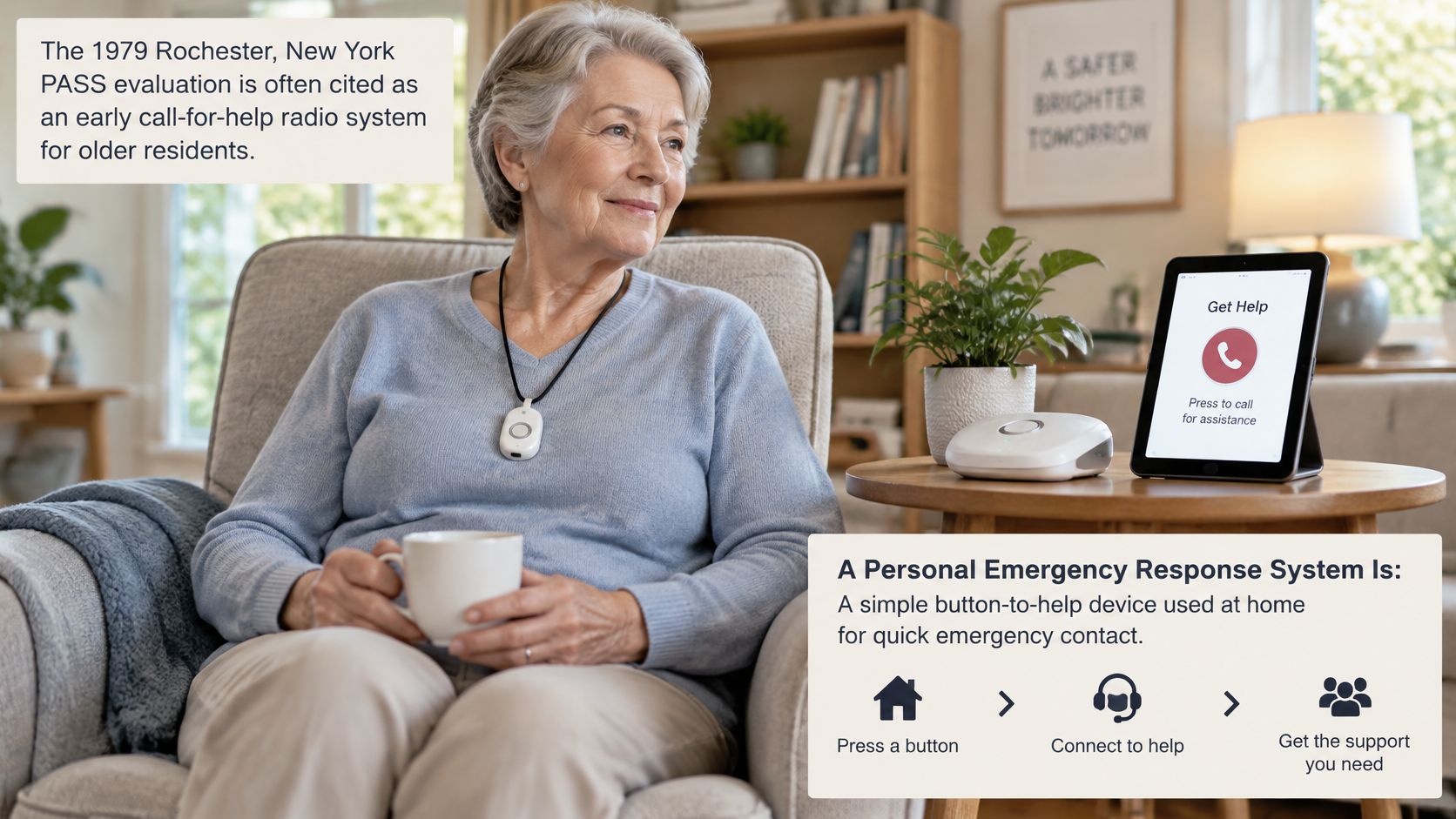
Say someone needs assistance while sitting in the garden. They press a wearable button, the device sends an alert through its connection, and a responder follows the system's contact plan. Whether that works in the garden comes down to the model's range and coverage.
The communication link might use a landline, cellular network, or radio connection to a home base. Modern mobile networks and GPS have expanded the possibilities, but they haven't removed the need for dependable equipment and clear response arrangements.
A PERS has a device to press or wear, a link to carry the call, and a responder who can send help.
Device Types and Which One Fits Your Life
Dataintelo reports that wearable devices accounted for 38.2% of the global medical alert systems market in 2025. Separately, a 2024 Consumer Technology Association survey of 2,400 U.S. adults found that connected medical-alert devices were the technology most often considered helpful for aging in place, yet only 3% of adults aged 50 and older reported owning one.
The names can make these products sound more different than they are. A pendant describes how something is worn; GPS describes a location feature. A single product can belong to several categories.
PERS Device Types at a Glance
| Device type | How it is triggered | Where it works | Best fit | Watch-outs |
|---|---|---|---|---|
| In-home base unit | Button on a pendant or wristband paired to a base | Inside the home, within the base's range | Adults who spend most of the day at home | Needs power and a connection; check outage backup |
| Wearable pendant | Button on a neck cord or clip | Near a home base, or within cellular coverage on mobile models | Adults who prefer a discreet wearable | Must be worn and fit comfortably |
| Wrist-worn button | Button on a watch-style band | Home or mobile, according to the model | Adults who prefer a band to a pendant | Small buttons may be difficult with limited dexterity |
| Fall-detection wearable | Automatic detection plus a manual button | Home or mobile, according to the model | Adults seeking hands-free alert capability | Can produce false alarms; check cancellation options |
| GPS mobile pendant | Button, with location shared during an alert | Within supported cellular coverage | Adults who go out on their own | Charging, signal strength, and location limitations matter |
| Smartphone or app alert | Button or supported voice command in an app | Wherever the phone has the required connection | Adults comfortable using apps | Phone must be charged, carried, and connected |
Start with where the person spends their day, then consider outings alone. A home-based routine and a routine involving independent walks create different coverage requirements.
Some pendants combine a manual button, fall detection, and GPS. Compare the actual functions rather than assuming the product category tells you everything, including whether voice communication happens through the wearable or a separate base.
How an Alert Travels From Button to Help
A peer-reviewed analysis of real PERS calls recorded average answering times of 40.64 seconds for high-risk calls, 69.59 seconds for medium-risk calls, and 20.70 seconds for low- or no-risk calls, while excluding nine false-alarm calls from detailed analysis. These are observations from that service dataset, not promised connection times for every provider.
The following sequence describes a monitored system with two-way communication. An app that only notifies selected contacts may follow a different route.
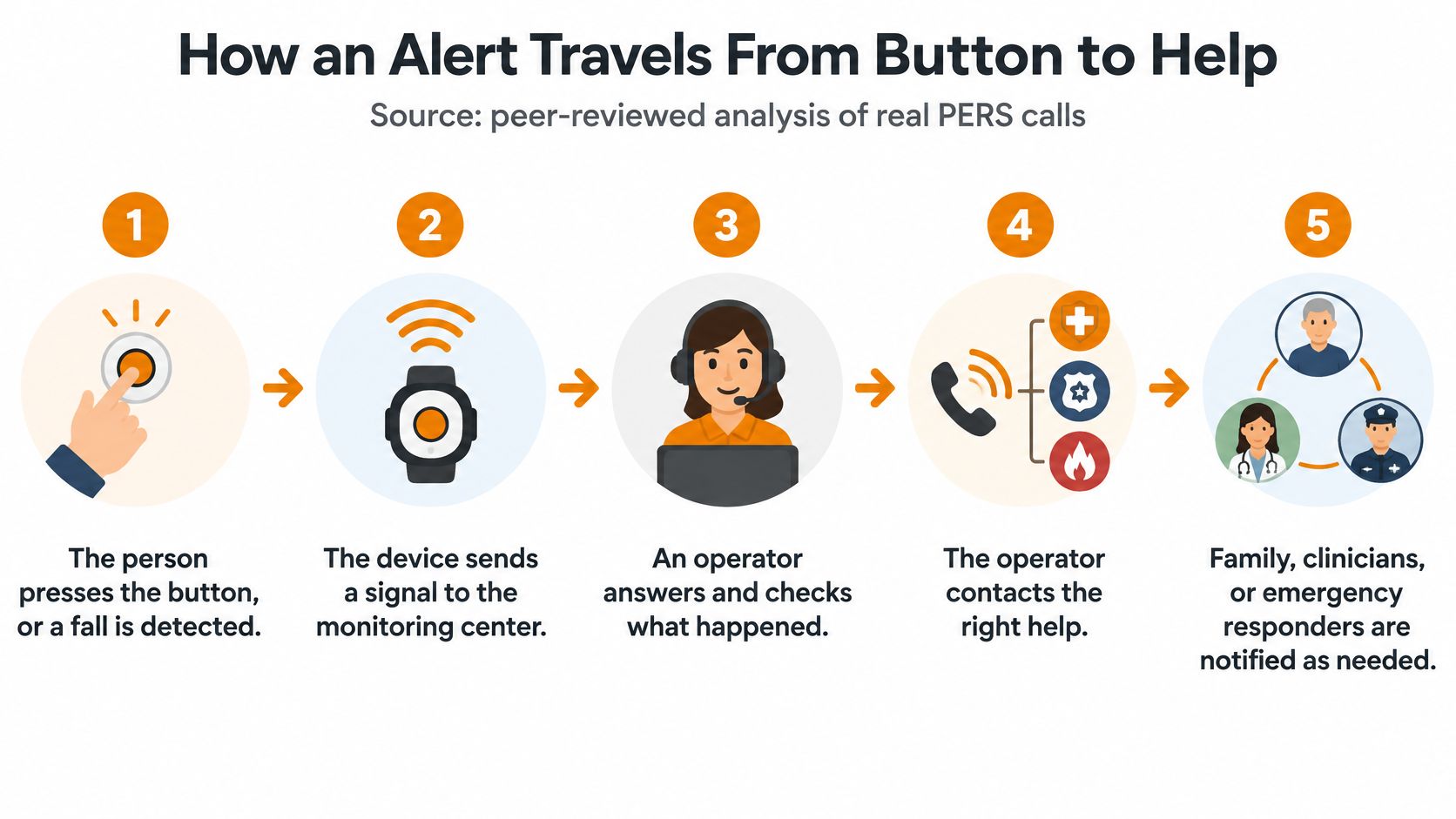
The Monitored Alert Sequence
The person presses the button, or a fall is detected. A manual press starts the request directly. Automatic activation requires a model with that feature and an event its sensors recognize.
The device sends a signal over its link to the monitoring center. A home wearable may communicate through a base unit. A mobile device may use its own cellular connection.
An operator opens a two-way voice call to learn what is happening. The person speaks through the wearable or base, according to the equipment. The operator asks questions to understand the request.
The operator sorts the event as urgent, routine, or a false alarm. An accidental press doesn't call for the same response as a confirmed request for urgent assistance. Clear conversation helps the operator distinguish them.
If the person cannot answer, the escalation rules contact a family member, a designated caregiver, or emergency services, according to the plan. Silence needs a defined procedure. It shouldn't leave everyone guessing who acts next.
A responder is dispatched, or the case closes with notes. The outcome might be assistance being arranged or an accidental activation being confirmed. Event notes can record what happened and who was contacted.
What the Timing Actually Means
Answering time isn't arrival time. It doesn't tell you how long a responder will take to reach the person, and transmission speed alone doesn't describe the whole service.
The operator's ability to understand the situation and choose the appropriate response matters alongside the connection. False alarms also deserve separate tracking because they still require attention, even when they aren't included in an emergency-call timing analysis.
The useful question isn't only how fast the device sends an alert, but what happens once someone receives it.
Benefits and Limits for Aging in Place
A 2014 academic review reported that fewer than 5% of older Americans who could benefit from personal emergency alarms had adopted them. An Association of Health Care Journalists survey summary reported that, among respondents using assistive or health-related technology, 88% said it improved their quality of life, 55% reported greater independence, and 44% felt safer.
Those survey responses concern a broad group of technologies, not PERS alone. They describe perceived benefits, not proof of clinical outcomes or a guarantee for an individual household.
Supporting Everyday Independence
A personal emergency response system gives someone a direct way to request assistance without dialing a phone number. For a person living alone, having an agreed contact route can provide reassurance while preserving control over ordinary activities.
That fits within a wider approach to aging-in-place solutions. The aim is to support familiar routines, such as reading outside or spending time on a hobby, rather than make the day revolve around equipment.
Keeping Expectations Realistic
An alert device doesn't prevent falls. A wearable left on a dresser can't serve its intended purpose, and equipment needs the power and connection its design requires.
Accidental activations are possible. Some people also dislike the appearance of a pendant or feel uneasy about being monitored, so a technically suitable product may still be a poor match for their preferences.
Comfort includes more than the strap or cord. It also means understanding what pressing the button will do and feeling able to use it without embarrassment.
A practical fit question is simple: would the person wear it while getting the mail, spending time in the garden, and preparing for bed? The answer helps separate a useful support from an unused purchase.
Features Worth Checking Before You Buy
A real-life fall-detection study involving 16 older adults found that an accelerometer-based system detected 12 of 15 observed falls, or 80.0% sensitivity, with 0.049 false alarms per usage hour; a minor analytical modification reduced the false-alarm rate to 0.025 per hour. Those findings describe the tested system, not every product available today.
Sensitivity means how successfully the system identifies actual falls. Think of detection settings as a dial: making a system more willing to flag movement can capture more events but also create nuisance alerts; stricter filtering can reduce false alarms while missing genuine events.
That doesn't mean every consumer device offers an adjustable dial. It means a provider's explanation should address both missed events and accidental alerts, rather than presenting automatic detection as infallible.
Feature Checklist for Evaluating a PERS
Use these questions to compare written product information and service terms. The answer column describes useful capabilities to look for, not features every model includes.
| Feature | What to ask | What a good answer sounds like |
|---|---|---|
| Connectivity | Which network does it use, and what happens during a power or signal outage? | A named network, plus a backup option or clear limits |
| Battery | How long does a charge last, and how is low battery reported? | A visible charge indicator and low-battery notifications for the wearer and a caregiver |
| Fall detection | How sensitive is it, and can the wearer cancel an alert? | Documented detection limits, adjustable sensitivity where offered, a cancel window, and a voice check |
| Response protocols | Who is contacted first, and what happens if no one answers? | A written escalation chain with timers and an ordered contact list |
| Data sharing | Who can see alerts and history, and how is consent recorded? | Individual permissions and a plain-language privacy policy |
| Setup and ease of use | What does setup involve, and can the wearer practice a button press? | Guided setup and a test call the wearer can complete independently, with accessibility support where needed |
Test the Interaction, Not Just the Equipment
A button can be easy to see but difficult to press. An audible confirmation can be clear to one person and difficult for another to hear.
Ask to see the complete interaction: activating an alert, recognizing that it connected, speaking to the operator, and canceling an accidental activation. Include language preferences, vision, hearing, and hand movement in that conversation.
For automatic alerts, a guide to fall detection for older adults can help clarify the feature's role alongside manual activation. Don't deliberately fall to test a device; use the provider's approved demonstration or test procedure.
Comparison rule: Get capability claims, cancellation steps, and service limitations in writing, not only in a sales conversation.
Costs and Coverage to Budget For
Polaris Market Research valued the global medical alert systems market at USD 10.40 billion in 2025. That market estimate isn't a household price guide, so a useful comparison focuses on the charges in an actual provider quote.
What to Include in the Quote
Device purchase or rental. This covers the hardware, which may include a wearable and base. Ask whether you own it, must return it, and pay for repairs or replacement.
Monthly monitoring. This pays for the response service described in the contract. Ask whether the fee includes every activation or whether any calls create additional charges.
Setup or activation. This may cover configuration and initial testing. Ask who completes setup and whether that work is included in the advertised price.
Contract length. This determines the commitment attached to the offer. Check cancellation terms, notice requirements, and early-exit charges.
Caregiver or family app access. This may provide notifications and event updates. Ask whether adding family members costs extra.
Coverage area and network. This defines where the equipment can connect. Confirm coverage at the places the person regularly visits, not just their home address.
A lower-priced home base may cover less of someone's routine than a mobile system. Conversely, a broader package can include features they won't use.
Budget check: Compare the device cost plus a full year of recurring fees and any setup charges, using the same period for each quote.
Ask for a complete written fee list before signing, including optional extras and return conditions.
Family, Clinicians and Privacy
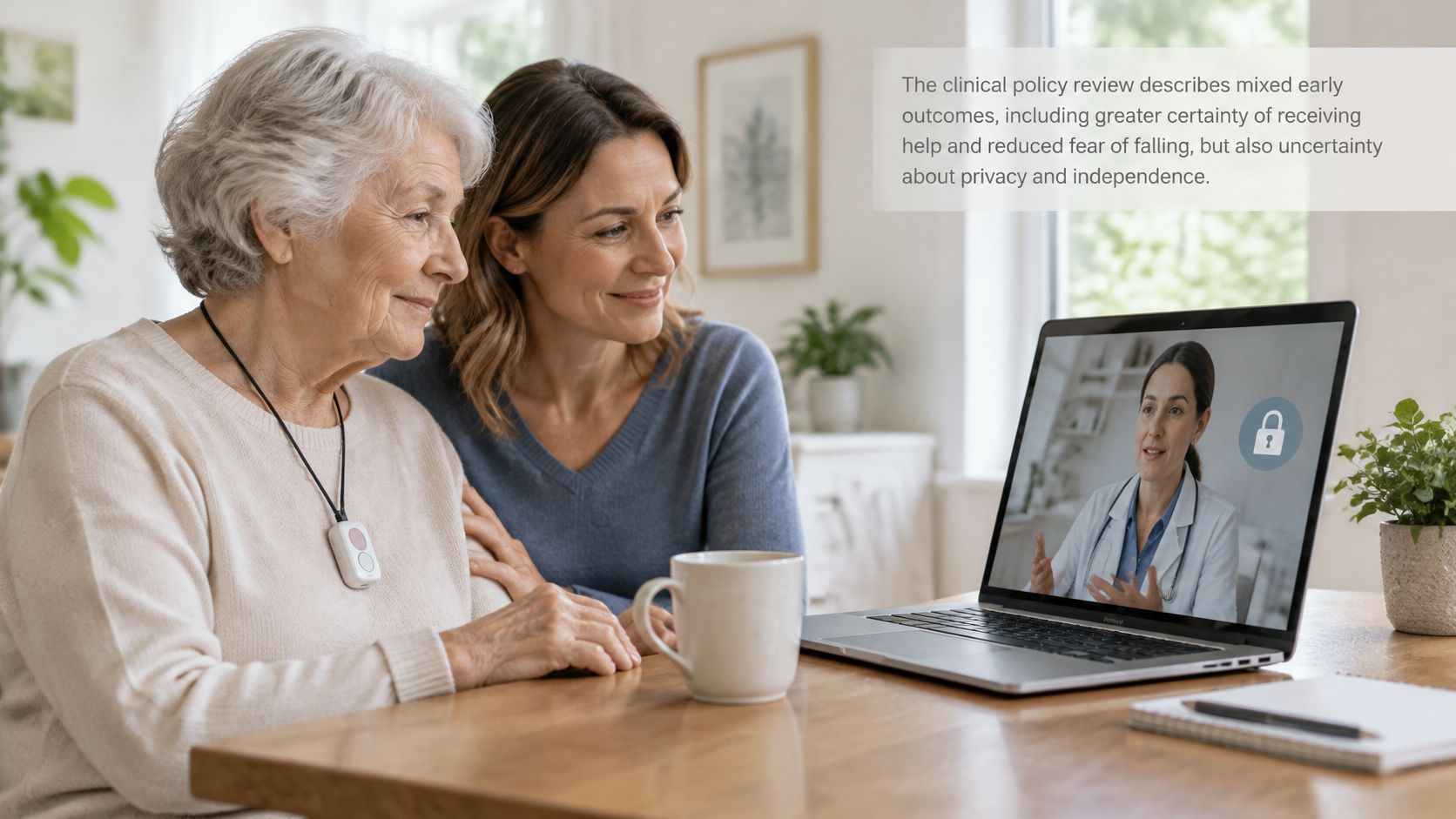
The AmeriHealth Caritas clinical policy review describes mixed early experiences, including greater certainty of receiving help and reduced fear of falling, but also uncertainty about pressing the button and unexpected responder visits. That combination highlights why the contact arrangements deserve as much attention as the wearable.
An alert may reach family, a monitoring center, emergency services, or a combination, according to the setup. A monitoring center isn't a doctor's office, and clinicians won't automatically receive event summaries unless sharing arrangements exist.
Make Responsibilities Explicit
Write down who receives the first contact, who follows up, and what happens when someone is unavailable. Include practical access questions, such as how an authorized responder would enter the home.
Rx360 is one platform option presented by the business as bringing Health Insights, Smart Technology, and Connected Care together, with timely updates for loved ones and healthcare providers kept part of the conversation. That describes design intent, not guaranteed outcomes; the business states that its services aren't a life-safety or emergency notification system.
Its information about connected care for families concerns broader coordination, which shouldn't be confused with a monitored emergency-response contract.
Keep the Wearer in Control
Confirm who can view alerts, location information, and event history. Ask how consent is recorded, how permissions change, and how access is removed.
Family involvement doesn't mean everyone needs the same access. The person using the system should understand what is shared and with whom.
Common Questions About Personal Emergency Response Systems
The clinical policy review and real-call analysis discussed earlier provide context for these questions. The distinction is between requesting assistance, coordinating contacts, and guaranteeing an outcome.
Does a PERS Prevent Falls?
No prevention claim follows from the evidence discussed here. The device's role is to signal for assistance; the benefits and limits remain separate from whether emergencies are prevented.
Does It Work Without Wi-Fi?
Some systems use cellular service or a landline rather than household Wi-Fi. Check the specific connection and outage arrangements in the feature checklist, rather than assuming wireless means Wi-Fi.
Is a Smartphone Enough?
A phone-based alert requires the phone to be available and usable when needed. If someone leaves it charging indoors while going outside, the device comparison offers alternatives that don't require carrying that phone.
What Happens After a False Alarm?
The provider's procedure should explain cancellation and verification, including what to do if an operator has already answered. Ask how accidental activations are logged separately from urgent events; the alert sequence explains why those are different situations.
What If a Caregiver Misses a Notification?
A notification alone doesn't establish that anyone has accepted responsibility. A documented escalation arrangement identifies the next contact and the waiting period, as described under family responsibilities and privacy.
For example, a relative may be driving and unable to answer. Naming a backup in advance turns that ordinary situation into a planned handoff rather than an unanswered message.
Choose and Set Up Your System Step by Step
The equipment and service findings discussed throughout this guide support a routine-based comparison. Keep the common questions nearby while checking unfamiliar terms with a provider.
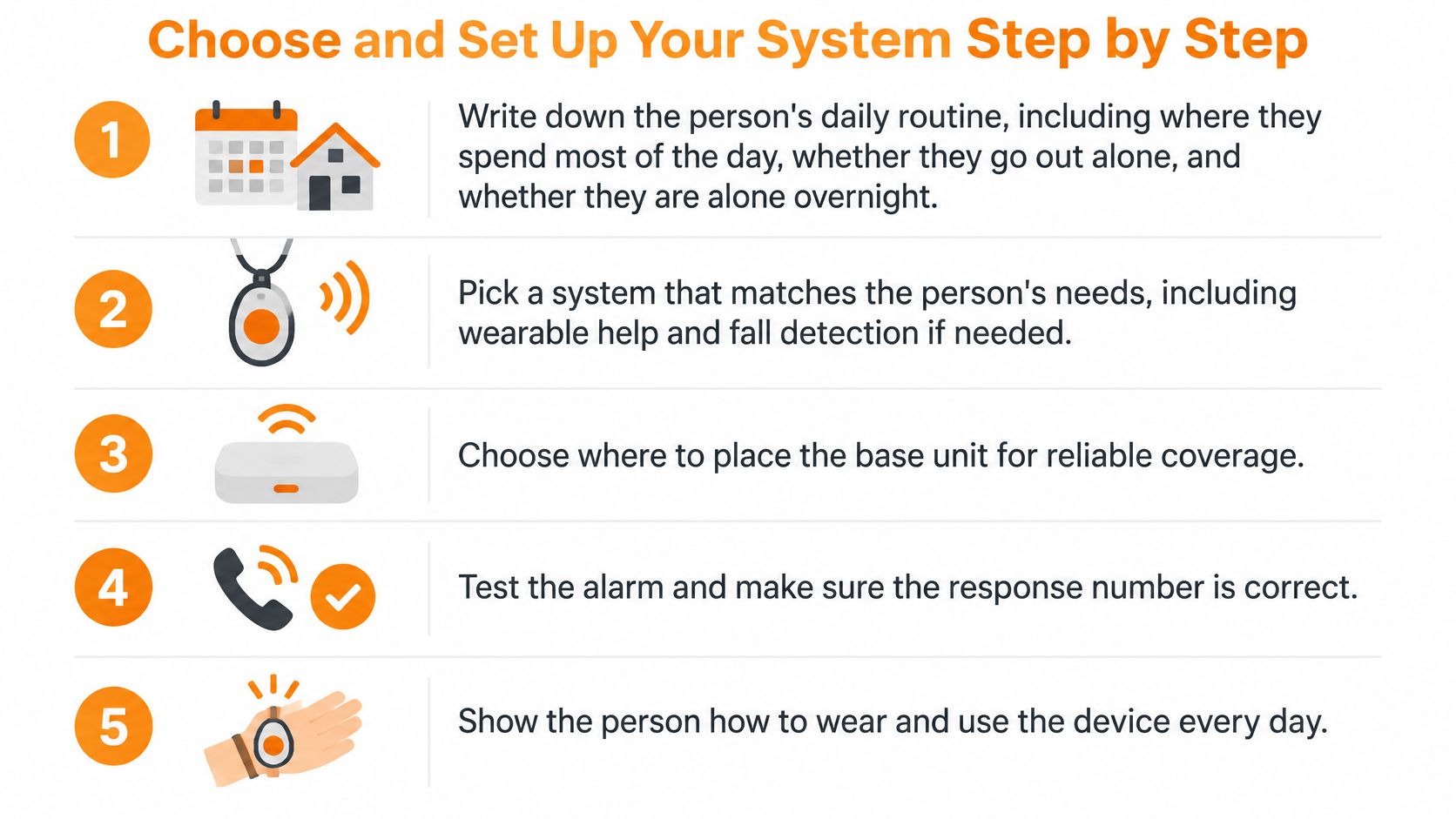
A Routine You Can Follow Together
Write down the person's daily routine. Include where they spend most of the day, whether they go out alone, and whether they're alone overnight.
Pick a device type that matches that routine. Use actual coverage needs and wearing preferences, rather than selecting by appearance alone.
Work through the feature checklist. Compare connectivity, battery arrangements, fall detection, response protocols, and data sharing against the same questions.
Ask for the escalation chain in writing. Include who is contacted first, what happens if nobody answers, and who should receive alerts before configuring permissions.
Set up the system with the person, not for them. Practice the button press and cancellation process together using the provider's test instructions.
Run a test call and note the connection experience. Record how long it takes to connect and whether the wearer can hear, speak, and recognize confirmation.
Schedule a review after the first week of use. Check charging habits, accidental activations, comfort, and any places where connection was difficult.
A broader connected-care platform can complement household communication, but it doesn't replace the emergency service described in a PERS contract. Start with the simplest setup that meets the routine needs, and add features only where the routine calls for them.
Rx360 brings health insights, smart-home technology, and connected-care information together for independent older adults and the people they choose to involve. Visit Rx360 to explore those connection tools while keeping any monitored emergency-response needs separate and clearly defined.
Lower-Risk Medication Plan Checklist
Below is a practical checklist and step plan you can implement into your daily life:
-
List all medications
Include prescriptions, over-the-counter drugs, supplements, sleep aids, creams, patches, eye drops, and inhalers.
-
Mark fall-risk drugs
Flag medicines that cause dizziness, sleepiness, confusion, blurred vision, low blood pressure, or low blood sugar.
-
Ask for a medication review
Bring the list to a pharmacist or prescriber.
-
Review after any warning sign
Request a new medication check after a fall, near-fall, new prescription, dose change, dizziness, or confusion.