"Which device should I buy for my mother?" is the question that opens most of these conversations, and it's the wrong first question. The better one is what the household wants to keep doing unaided, and what it wants someone else to know about. A motion sensor that reports "kitchen active at breakfast" and a camera pointed at the same corner do very different things to a person's sense of being at home, and the difference isn't technical.
Every device in this category fails in a specific way. So the buying decision gets made by reading the failure column first, not the feature list. What follows is the category map, then the privacy decision that comes before any of it, then the parts of these setups that tend to break in real houses.
Table of Contents
- Main Device Categories for Older Adults at Home
- Benefits and Limits for Aging in Place
- Privacy, Consent and Control at Home
- How Sensors and Voice Assistants Work Together
- Fall Detection and Emergency Alerts Explained
- Purchase and Installation Checklist
- How to Set Up a Smart Home for Independent Living
- Talk It Through Before You Buy
Main Device Categories for Older Adults at Home
| Device category | What it does | Typical everyday use | Main limitation |
|---|---|---|---|
| Motion and activity sensors | Notice movement patterns in rooms | A quiet check on daily activity | Detect movement, not its cause |
| Voice assistants | Respond to spoken commands for lights, reminders and calls | Hands-free reminders and music | Accuracy depends on speech clarity, hearing and setup |
| Medication reminders | Send scheduled prompts for daily routines | Reminders for morning and evening routines | A prompt does not confirm that medication was taken unless a confirmation step is added |
| Fall detection | Flag sudden changes in movement or position | Alerts to chosen family or response contacts | Some events may be missed, and placement matters |
| Smart locks and lights | Control entry and lighting from a phone or voice | Easier entry and a lit path at night | Need a stable network and a manual backup key or switch |
| Emergency response services | Connect to a monitored call or alert service | Reach help from different rooms | Coverage and fees depend on the provider |
These categories cover functions commonly discussed for supporting older adults at home. The table pairs each use with its practical limit, because the feature alone does not show what happens when the device misreads a situation or stops working.
Before choosing a device, agree on what information it may collect and who can see it. A sensor that records activity can tell a caregiver that someone moved through a room, but it cannot explain why. Share only the information the older adult agrees to share, and make sure they can use the device without giving up more privacy than they want.
A motion sensor answers, “Is there activity in this room?” It cannot confirm that everything is fine. A voice assistant can manage lights, reminders and calls without hands, but speech clarity, hearing and setup affect how well it responds. Medication reminders prompt a routine; they confirm nothing unless the system includes a separate confirmation step.
Fall detection can flag a sudden change in movement or position, but placement and room layout affect what it catches. Smart locks and lights can simplify entry and illuminate a night-time path. They still need a stable network, plus a physical key or wall switch for times when the app is unavailable. Emergency response services connect a user to a monitored call or alert service, with coverage and fees determined by the provider.
Match the rows to routines you can name
Write down two or three routines before selecting devices. A morning routine, a bathroom path at night and a family check-in give you practical needs to match against the table.
- Morning routine: a kitchen motion sensor and a medication reminder can support a predictable start to the day. The sensor shows activity, while the reminder prompts the routine; neither proves that medication was taken.
- Bathroom path at night: motion-triggered lighting can make the route easier to see. It improves visibility, but does not provide the response or reassurance of an alert service.
- Family check-in: choose a voice assistant or a large-screen tablet based on how easy it is for the older adult to see and use. Extra apps do not help if the main controls are hard to find.
Accessibility belongs in the initial choice, not as an afterthought in the settings menu. Look for controls the person can see and press, a spoken option that works for them, and a non-voice backup. If hearing is difficult, check captions and text size alongside the device's other features. A tablet with a larger display and a simple home screen can bring several parts of a setup together. This guide to choosing a tablet for older adults covers specifications to consider.
The United Nations reported about 761 million people aged 65 or older worldwide in 2021, roughly 1 in 10 people globally, and projected close to 1.6 billion by 2050, about 1 in 6. Those figures describe the scale of population ageing, not whether a particular device will help someone at home. The useful test is whether it supports a routine the older adult values while keeping the limits and data sharing clear.
Benefits and Limits for Aging in Place
The clearest summary of what home technology can and can't do comes from a 2024 systematic review indexed on PubMed that screened 3,404 studies and analysed 21 in detail: 10 qualitative, 9 experimental and 2 mixed-method. The authors grouped smart home applications into five functions tied to independent living: daily monitoring, assistance with living activities, reminders, functional improvement and emotional companionship.
Across those studies, reported benefits included support for independence, self-management, mobility, social engagement, cognitive functioning, caregiver support and quality of life. Read the wording closely. Those are outcomes individual studies reported, in mixed designs, across different devices and different people.
The chart below pairs each function with the limit that sits beside it, which is the version worth keeping somewhere visible.
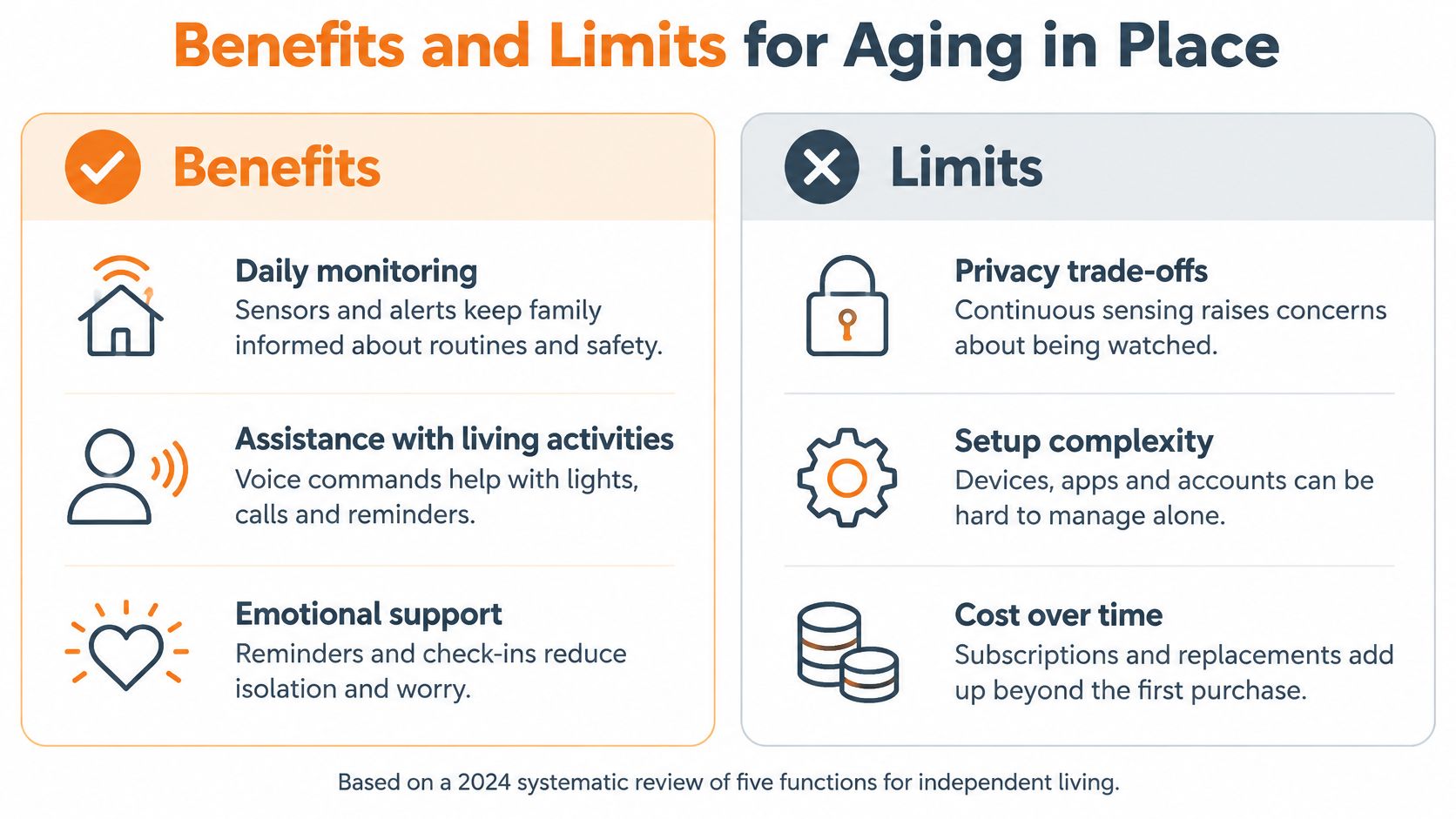
| Function | What the 2024 review reported | Limit to keep in view |
|---|---|---|
| Daily monitoring | Support for independence and self-management | Technologies, populations and outcome measures differ, so results are not uniform |
| Assistance with living activities | Help with everyday routines while remaining at home | A device can support choices and does not replace them |
| Reminders | Prompts that can support daily routines | A reminder alone does not confirm the task was done |
| Functional improvement | Reported support for mobility and cognitive functioning | The same result should not be assumed for every person or product |
| Emotional companionship | Social engagement, caregiver support and quality of life | Use depends on whether the older adult wants that interaction |
| Shared barriers | Home-safety benefits are reported alongside these functions | Cost, technical reliability, digital skills, ease of use and privacy recur |
The barriers are not footnotes. A review of 163 empirical studies of smart home health technology found the technology useful where continuous monitoring is needed while still naming ease of use, social acceptance and cost as open concerns. A systematic review published in the Australasian Journal on Ageing adds privacy, technical reliability and digital literacy to that list. Those are the things that decide whether the kit is still switched on in March.
How I'd read the evidence: treat each reported benefit as a possibility to test against one goal you actually care about, such as keeping a morning walk or calling family more often.
That framing matters because the alternative, buying the most features, produces a house full of devices nobody uses. Monitoring should support everyday choices rather than replace them. If a sensor setup discourages someone from cooking or gardening because the alerts make them nervous, it has cost more than it gave.
Privacy, Consent and Control at Home
Before choosing a sensor, agree on what the older adult is comfortable sharing, with whom, and for what purpose. More sensing does not automatically mean better care. A review of 15 studies published in JMIR mHealth and uHealth found that 13 of the studies (87%) discussed privacy concerns around data collection and access, while only 4 (27%) examined whether users understood why data were collected. Nine (60%) reported enthusiasm for potential safety benefits.
That gap matters: people may welcome support without understanding what information is collected or who receives it. A 2025 review of technology for aging found privacy concerns across 38 studies and describes how ambient sensors and cameras can intrude on personal space and cause discomfort at home. Ask about the trade-off before installation, not after alerts are already reaching family members.
The conversation is easier when everyone can see the settings together.
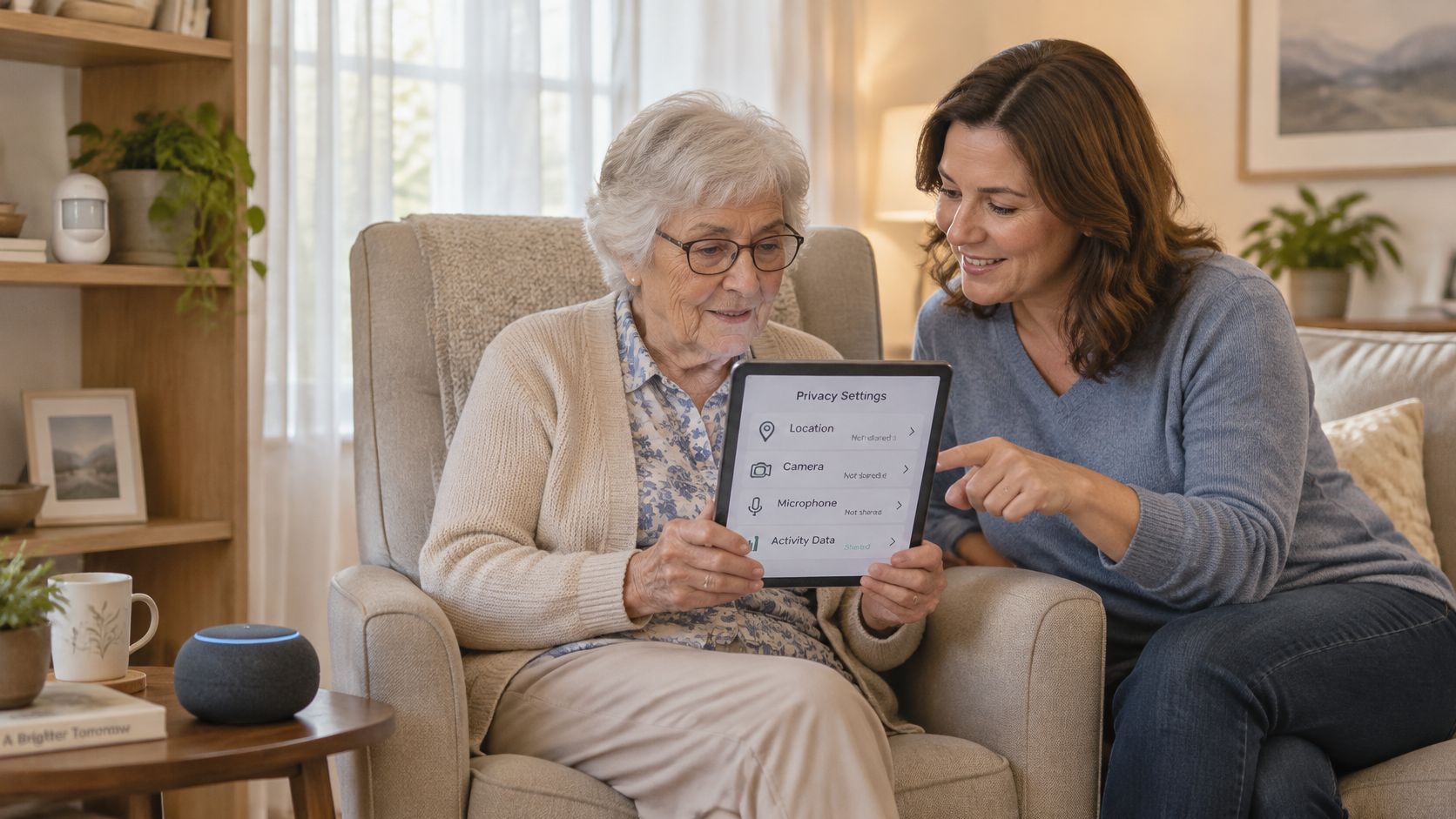
The questions to ask before a sensor goes in
- Which sensors collect continuously? Check whether motion or bed sensors run throughout the day and night, and whether they can be paused.
- Is there a camera-free option? Ask whether movement or room-transition sensors can meet the goal without recording images. They cannot show what happened visually, so consider whether that limitation is acceptable.
- Who receives each alert? Name each person and specify what they receive. A group chat alone does not establish who will respond.
- How long is information kept, and who can access it? Ask each provider about its retention period, access permissions, and process for deleting data. Review its data retention policies before agreeing to share information.
- How can someone pause monitoring or remove a family member's access? Confirm that the older adult can change permissions directly and understands how to do so.
Camera-free sensors can provide movement, room-transition, and sleep-related patterns without pictures. They cannot identify clothing or show whether someone is on the floor. A camera may answer visual questions that other sensors cannot, but it also makes the home feel watched. Decide separately about each location; a hallway and a bedroom are not equivalent choices.
Keep access limited to what each person needs. A caregiver who receives a defined alert can check in, while access to a live household stream exposes far more than a particular notification. With Rx360, if a medication taker opts in to Support Circle Sharing, their Customer Data is shared with their designated caregivers and/or loved ones. Make sure the person understands what opting in means and chooses who is included.
Settle these questions together before turning monitoring on:
- What will each person be able to see, and what stays private?
- Which alerts go to whom, and what should each recipient do?
- How can the person using the devices pause monitoring or change access themselves?
How Sensors and Voice Assistants Work Together
A good neighbour notices when your usual routine shifts. They don't stand at the window counting your steps, and that distinction is the design brief for passive sensing.
The pattern is documented in a community study of adults aged 60 and older published in Innovation in Aging, where participants had a mean age of 79.5. The researchers combined depth sensors for gait and fall tracking, passive infrared sensors for room activity, and hydraulic bed mats that picked up sleep, respiration and heart-rate patterns. Nobody had to press a button or remember to report anything.
That's the layering worth copying: one kind of sensor for movement, another for which room, another for the bed.
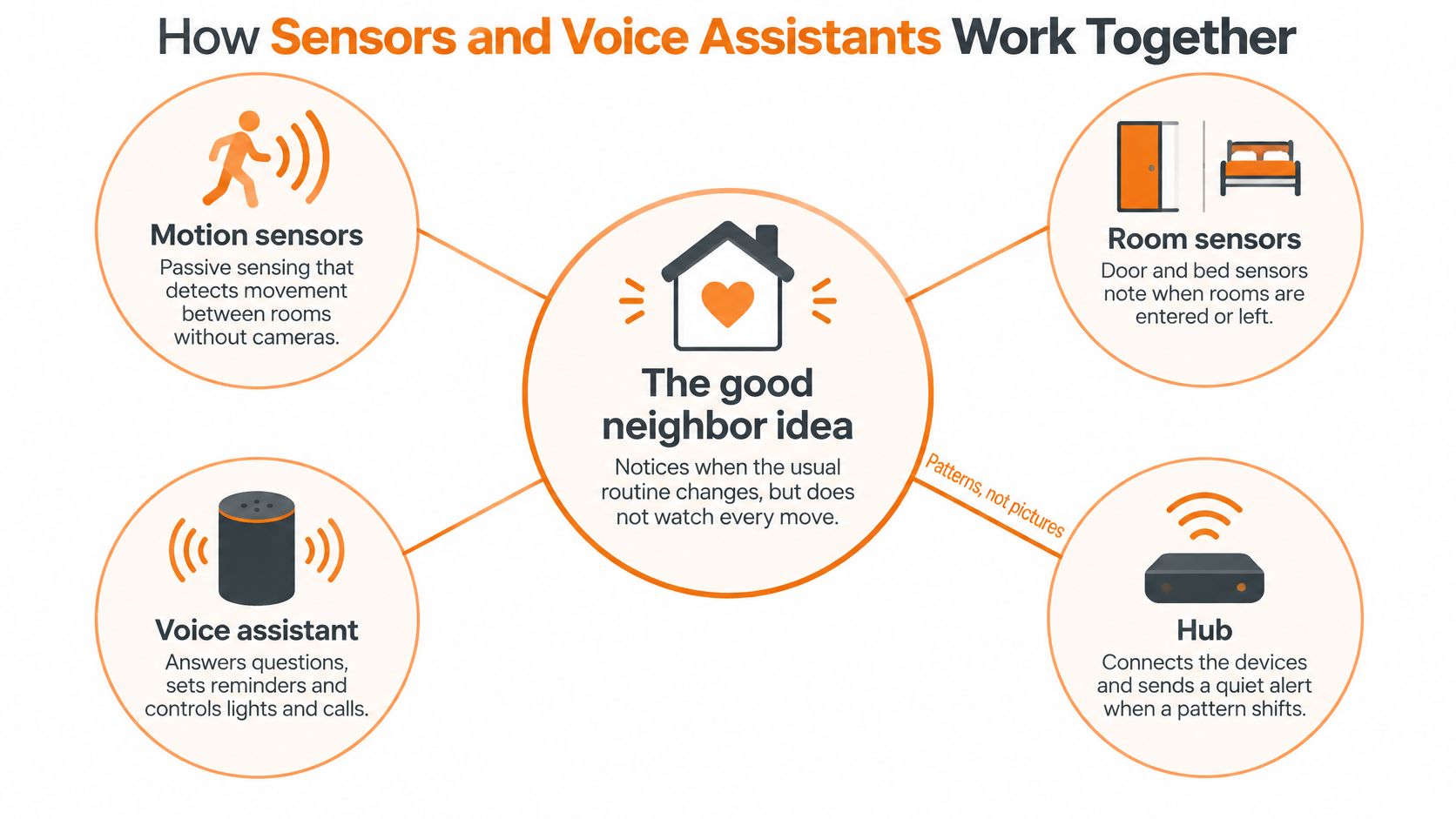
One signal asks, several signals tell
A depth sensor can spot an abrupt gait interruption or a change in body position. On its own, that's a check-in: a call, a spoken prompt from the speaker, a message to one person. Add prolonged inactivity after a bathroom transition, or an unexpected absence from bed at 3am, and the signals corroborate each other. That's when a more urgent notice is justified.
Combining signals is how you get fewer false alarms without going deaf to real ones. It also makes each alert easier to interpret, because the message can say what happened rather than just that something did.
The honest limit sits in the same study. Participants valued the security and the fall detection, but regular retrieval of health information stayed low because of technology skills, interest, health status and connectivity problems. If a plan depends on someone opening an app every morning to check their own numbers, it will lapse within a fortnight. Put the value in background sensing and let the app be optional.
What happens when the internet drops
Everything in a connected home assumes a working router. Buffering locally, so sensors hold readings and forward them when the connection returns, keeps the record intact. A hub on battery backup keeps lights and alerts alive through a short outage.
The voice assistant is the easy layer, not the safety layer. It's excellent for turning on a lamp, setting a timer or starting a call without crossing the room. It depends on clear speech and a live network, so it can't be the only way to reach help.
Then do the homework that beats any product comparison. Sketch the floor plan, mark where each sensor would sit, and write down which signal goes to which person. If a sensor's signal has no named recipient, it isn't a plan yet.
The best setups answer two questions before installation: what pattern would genuinely worry us, and who gets told first?
Fall Detection and Emergency Alerts Explained
The gap between wanting to stay home and owning a way to call for help is wide and measurable. The Consumer Technology Association study published in January 2025 found that 89% of adults aged 50 and older ranked aging in place as important, while only 3% owned a connected medical-alert device and 18% planned to purchase one.
Ownership of the wider category is moving faster than that. AARP Research reports that 27% of older adults owned smart-home safety or security technology in 2025, up from 10% in 2019. People are buying sensors and cameras before they buy an alert service.
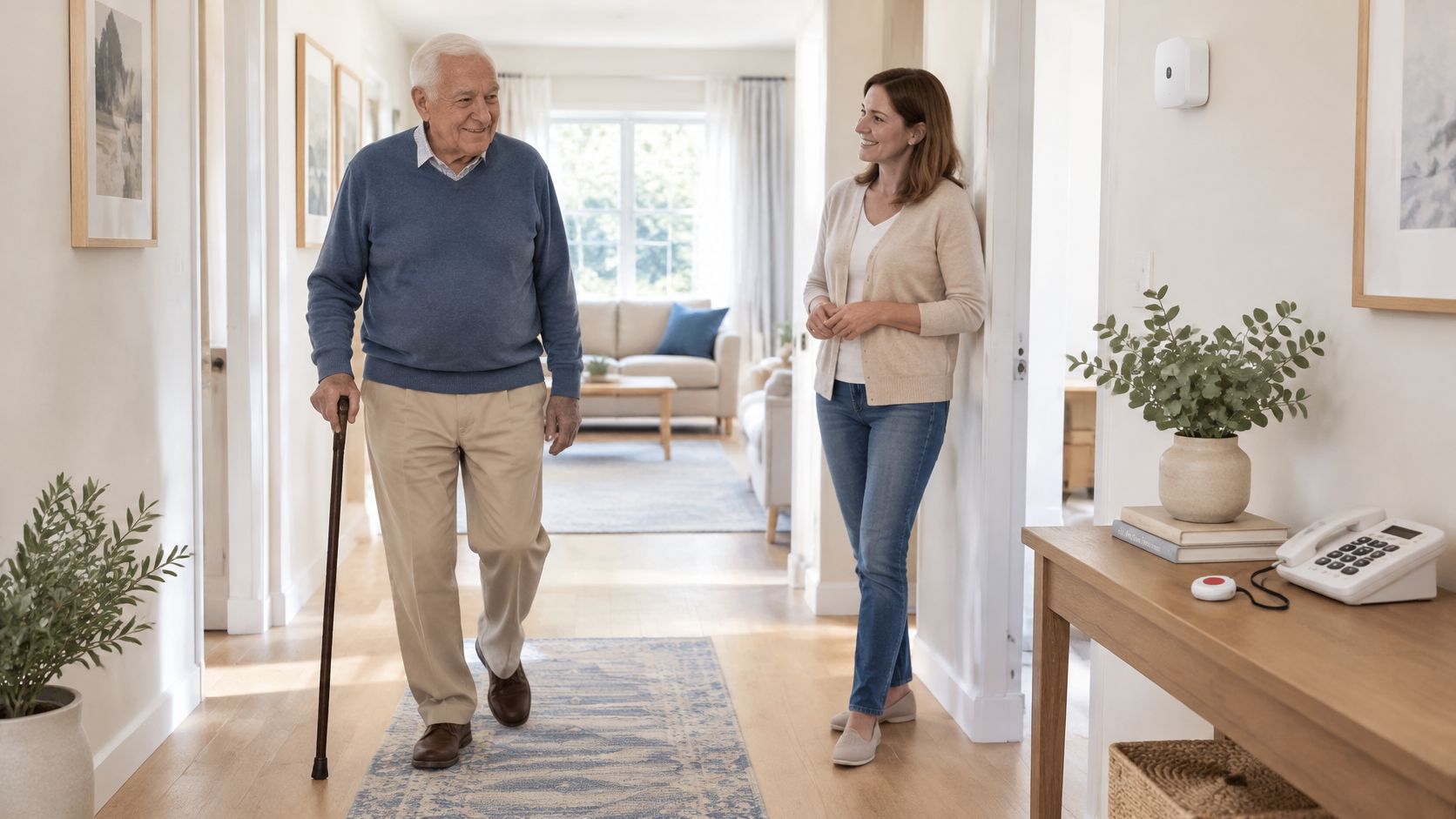
This is what that means for a hallway at 2am.
| Alert type | What it reports | What it does not do |
|---|---|---|
| Fall detection alert | A sudden change in movement or position flagged by a sensor | Does not confirm injury or replace a call for help |
| Missed medication reminder | A scheduled reminder that has no confirmation | Does not confirm a dose was taken unless a confirmation step is used |
| Inactivity check-in | Room activity that is unusual for the time of day | Does not explain why activity changed |
| Monitored emergency call | A connection to a monitored response service | Depends on coverage, fees and the provider's terms |
Coverage is the part people underestimate. A sensor sees a slice of the house: what's in its field of view, at the angle it was mounted, in the light available. A fall behind a closed bathroom door, out in the garden, or from a chair into a soft surface doesn't always read as a sudden change in movement. Placement, lighting and layout change what any device notices, which is why the alert types above work best together rather than alone.
And be precise about what a text message is. Rx360's SMS notifications are not a life-safety or emergency notification system and do not replace emergency services or caregiver supervision. Treat SMS as a nudge to a named person, not as a dispatch service.
The practical setup takes an evening. Write the emergency contacts on paper, decide who receives which alert, and post the local emergency number beside the main phone. If you're weighing wearables specifically, this overview of wearable fall alarms for older adults walks through the difference between a pendant someone presses and automatic detection.
Agree one rule in writing: every alert has a named recipient, the call path gets tested on a schedule everyone agreed to, and the plan stays where everyone can see it.
Purchase and Installation Checklist
Nothing here is about placement or behaviour. This list is the buying gate, and each item is cheaper to check at the till than to fix after the boxes are open.
- Match the cart to the routines you wrote down. If a device doesn't serve the morning routine, the night path or the check-in, it's a hobby purchase.
- Confirm Wi-Fi reaches every sensor room. Test on the phone while standing where the sensor will go, not from the kitchen table.
- Check the hub's power backup. An outage shouldn't take the lights, alerts and sensors down together.
- Read the messaging terms for any SMS or app alert. Message and data rates may apply to SMS messages, and customers are solely responsible for messaging or data rates, fees or charges from their mobile service provider for receiving Medication Reminders or Fall Tracking alerts or calls, using Location Tracking, or otherwise accessing the Pilot Services.
- Verify encryption, a pause control and named permissions exist before you buy. If those features aren't in the product now, they won't appear later. Our guide to digital literacy for older adults covers the account and app basics worth setting up on day one.
- Keep a physical key and a wall switch. Manual backups are what make a smart device safe rather than fragile.
- Write down the emergency and alert contacts, then test them. An untested contact is a name on a list.
- Read the return, trial and support terms first. Knowing the exit is part of making a confident purchase.
Keep the finished list on the fridge or in a shared family folder. When someone asks in six months why a device was chosen, the reasons are already written down.
How to Set Up a Smart Home for Independent Living
Setup is mostly placement and permissions, and it's where most of the disappointment in these systems comes from. Here's the order I would work through, with the reason attached to each step.
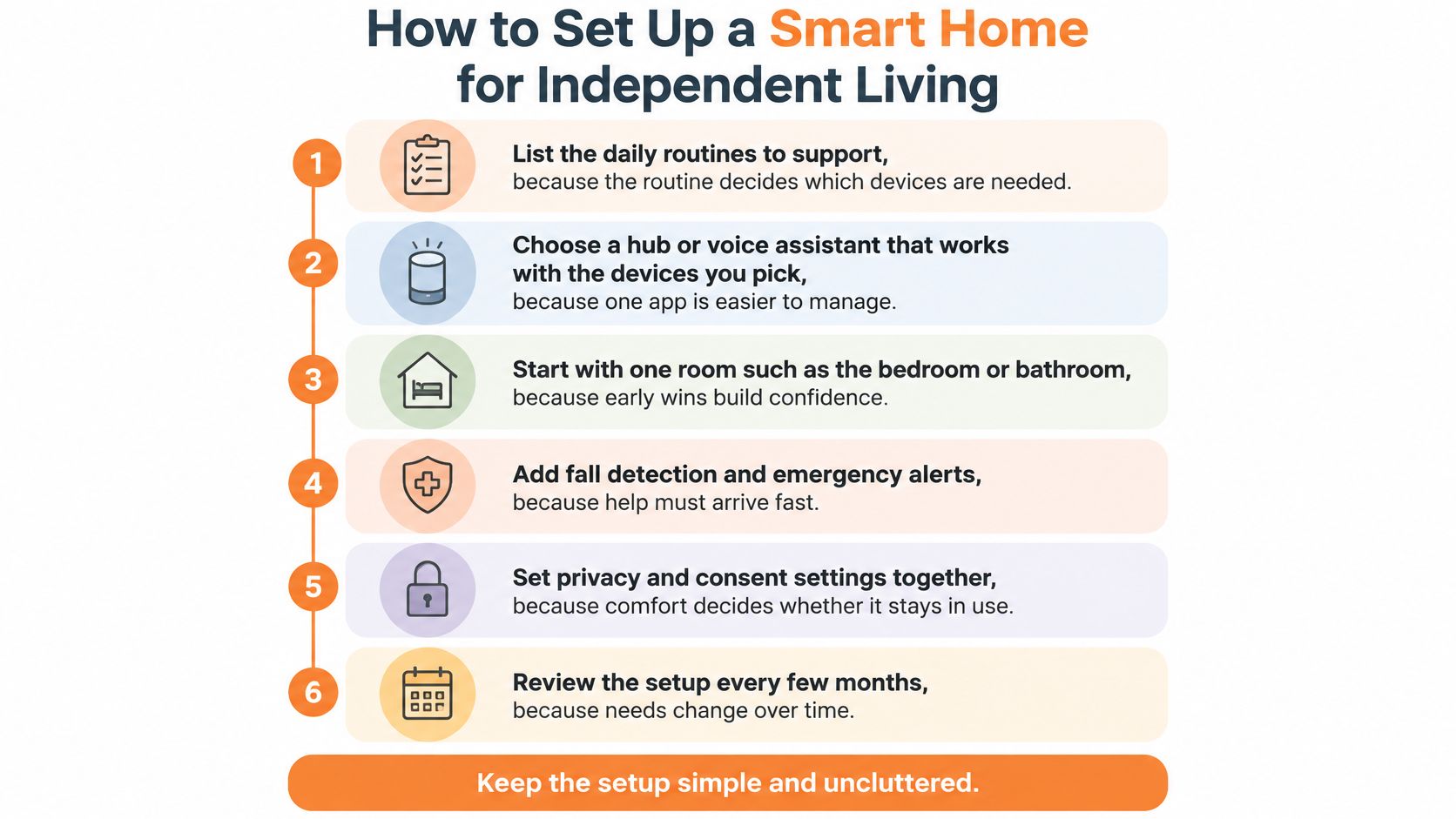
- List the daily routines to support. The routine decides the devices, not the other way around. Our aging in place solutions overview is a reasonable place to see how the pieces group together.
- Choose a hub or voice assistant that works with the phone and Wi-Fi already in the house. Compatibility is the most common early headache, and one app is easier to manage than four.
- Place motion and room sensors in the bedroom, bathroom and hallway, away from windows and direct sunlight. Heat and glare produce false signals, and a sensor that cries wolf gets ignored within a week.
- Set lighting routines for the night path. Low-level light along the route from bed to bathroom beats a bright switch-on, and it keeps the walk familiar.
- Set permissions deliberately. Decide who receives which alert and at what threshold, then write the older adult's choices down so nobody renegotiates them later by accident.
- Test every alert and confirm it lands on each recipient's phone. The failure to catch here is the one that only shows up on the night it matters.
- Enter reminder times only after someone has read them back against the existing schedule. A mistyped time creates an alert nobody can act on, and it erodes trust in the whole system.
- Review everything after two weeks. Note false alerts, missed alerts, and how comfortable the person feels. Adjust or remove anything that failed.
The most common slip at each stage follows a pattern: people buy before they list, mount a sensor where the cable reaches rather than where the room is, and skip the review. That last one costs the most. Two weeks of honest notes tells you more than any spec sheet, because it captures the house, the light and the person using it.
Platforms help when they reduce the number of apps and accounts in the house. Rx360 brings together health insights, supportive technology, and trusted connections into a unified ecosystem, which is useful if the routines you listed span reminders, sensors and family updates at once.
Talk It Through Before You Buy
What would make a smart home device feel useful rather than intrusive? Start by asking the older adult what they want help with, and what they want to keep private. Research by AARP and the Consumer Technology Association found that in 2025, 80% of older Americans owned at least one technology product that enables aging at home, and 70% said they felt very comfortable using technology to age in their homes and communities.
Begin with the routines already in the house, not a catalogue. These prompts can keep the family conversation practical:
- Which routines matter most? Pick two priorities, rather than trying to support everything at once.
- Which alerts do you want? The older adult may prefer a check-in call, a text, or no alert.
- Who should receive each one? Ask whether the person is comfortable sharing that information with each recipient.
- How would a false alert feel? Discussing this early helps set realistic expectations for the device.
- How can monitoring be paused? Agree on how to stop it when the person wants privacy.
- Where will you record these choices? Write them down somewhere everyone can find.
Care coordinators and clinicians need a clear, separate conversation. Ask what information from home would be useful to them, how family updates should reach them, and which routines the older adult wants kept private. These answers help keep any setup aligned with what the household has agreed.
Then choose one routine to support first. Select one device, set its permissions with the older adult, and schedule a two-week review together. Rx360 is one platform to compare. Its Family Connection feature is designed to keep loved ones close when they are far away. Its Pilot Services are informational wellness tools, not medical devices. Compare the platform with alternatives using the needs and limits discussed in this guide.
The setup is more likely to last when the older adult remains in control. Independence is the goal; technology should support the routines the person wants to keep.
Rx360 is a wellness platform that brings together Medication Reminders, Fall Tracking alerts and calls, Location Tracking, and Family Connection. Its SMS notifications are not an emergency or life-safety system and do not replace emergency services or caregiver supervision. Start with the routine that matters most in your household, then consider whether the platform fits the support the older adult wants. Visit Rx360 to see how its features fit together.
Lower-Risk Medication Plan Checklist
Below is a practical checklist and step plan you can implement into your daily life:
-
List all medications
Include prescriptions, over-the-counter drugs, supplements, sleep aids, creams, patches, eye drops, and inhalers.
-
Mark fall-risk drugs
Flag medicines that cause dizziness, sleepiness, confusion, blurred vision, low blood pressure, or low blood sugar.
-
Ask for a medication review
Bring the list to a pharmacist or prescriber.
-
Review after any warning sign
Request a new medication check after a fall, near-fall, new prescription, dose change, dizziness, or confusion.