
A virtual care manager is the person and process that watches consented remote wellness signals, decides who needs to act, and keeps the older adult, family and clinicians in the same loop.
You're keeping up with your routines, your family wants to stay connected, and someone has suggested an app or remote monitoring service. The practical question isn't just what it records. It's who notices a change, who gets contacted, and what happens next, without turning independent life into constant observation.
Table of Contents
- What a Virtual Care Manager Is and Where It Came From
- How the Virtual Care Manager Workflow Runs
- Choosing Signals and Keeping Alerts Useful
- Privacy, Consent and Inclusive Access
- Real Day Scenarios for Older Adults, Families and Clinicians
- Measuring Whether the Program Works
- Vendor Checklist and How to Start Small
What a Virtual Care Manager Is and Where It Came From
The Veterans Health Administration's virtual-care evidence review describes a history that includes remote monitoring, patient portals, medication-refill communication and ongoing coordination; by 2019, VHA had delivered more than 2.6 million episodes of virtual care. That history matters because virtual care management isn't another name for a video appointment.
Think of a lighthouse keeper. The keeper watches the water, flags changing conditions and makes sure the right boats hear about them, but doesn't steer the ships. A virtual care manager has a similar coordinating role, while the older adult keeps a voice in everyday decisions and clinicians retain responsibility for clinical decisions.
Watching, routing and following through
The role becomes easier to understand when it's separated into practical jobs:
- Watching: Reviewing information the person has agreed to share, such as daily activity minutes, sleep timing or check-in answers.
- Routing: Sending a meaningful change to a named person through an agreed escalation path.
- Following through: Recording what happened, whether someone responded and whether the matter was resolved.
The title alone doesn't establish someone's qualifications or authority. A service should explain whether its manager is a coordinator, nurse or another professional, and what that person is permitted to do.
In the coordination role described here, a virtual care manager doesn't diagnose, replace clinical visits or imply constant observation. A platform can collect information outside staffed hours without anyone reviewing it immediately.
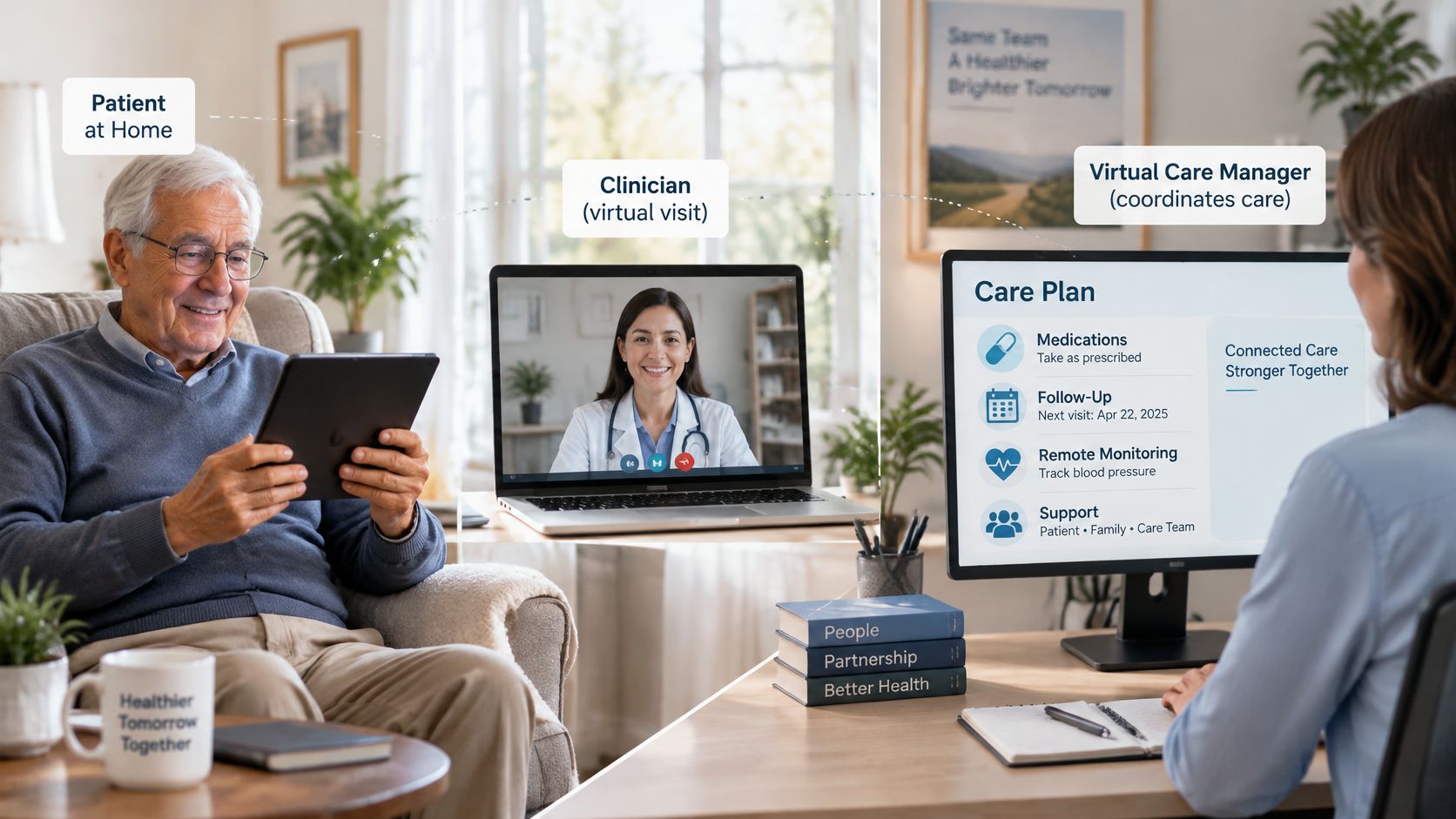
How the virtual care manager differs from nearby roles
These distinctions describe the responsibilities to clarify when comparing services. An organization may combine jobs, so its written role descriptions matter more than the label.
| Role | Main job | What it does not cover |
|---|---|---|
| Virtual care manager | Watches consented signals, routes them to an owner and tracks follow-up | Does not diagnose or replace clinical visits |
| Video visit scheduler | Books and reminds people about video appointments | Does not review signals or track change over time |
| Home health aide | Gives hands-on help with daily tasks in the home | Does not, through that role alone, monitor remote data or coordinate across clinicians |
| Family caregiver | Offers personal support and receives updates | Does not hold a formal escalation role unless agreed in advance |
| Primary care clinician | Makes diagnosis and treatment decisions | Does not handle routine remote follow-up alone in a coordinated program |
Companionship is different, too. A friendly call may offer welcome conversation, but it isn't a defined coordination service unless someone also owns the routing and follow-up.
For any provider, ask a concrete question: Does your service describe watching, routing and follow-through, and name who responds to an alert?
How the Virtual Care Manager Workflow Runs
The Agency for Healthcare Research and Quality's telehealth topic brief describes care managers in collaborative-care models as ongoing contacts who monitor, educate, support adherence and coordinate referrals. That's a longitudinal coordination role, meaning support continues between appointments rather than ending when a call finishes.
For someone aging in place, the everyday version might involve a walking log, a question about a routine or help passing an update to the right office. The manager organizes the communication rather than making every decision.
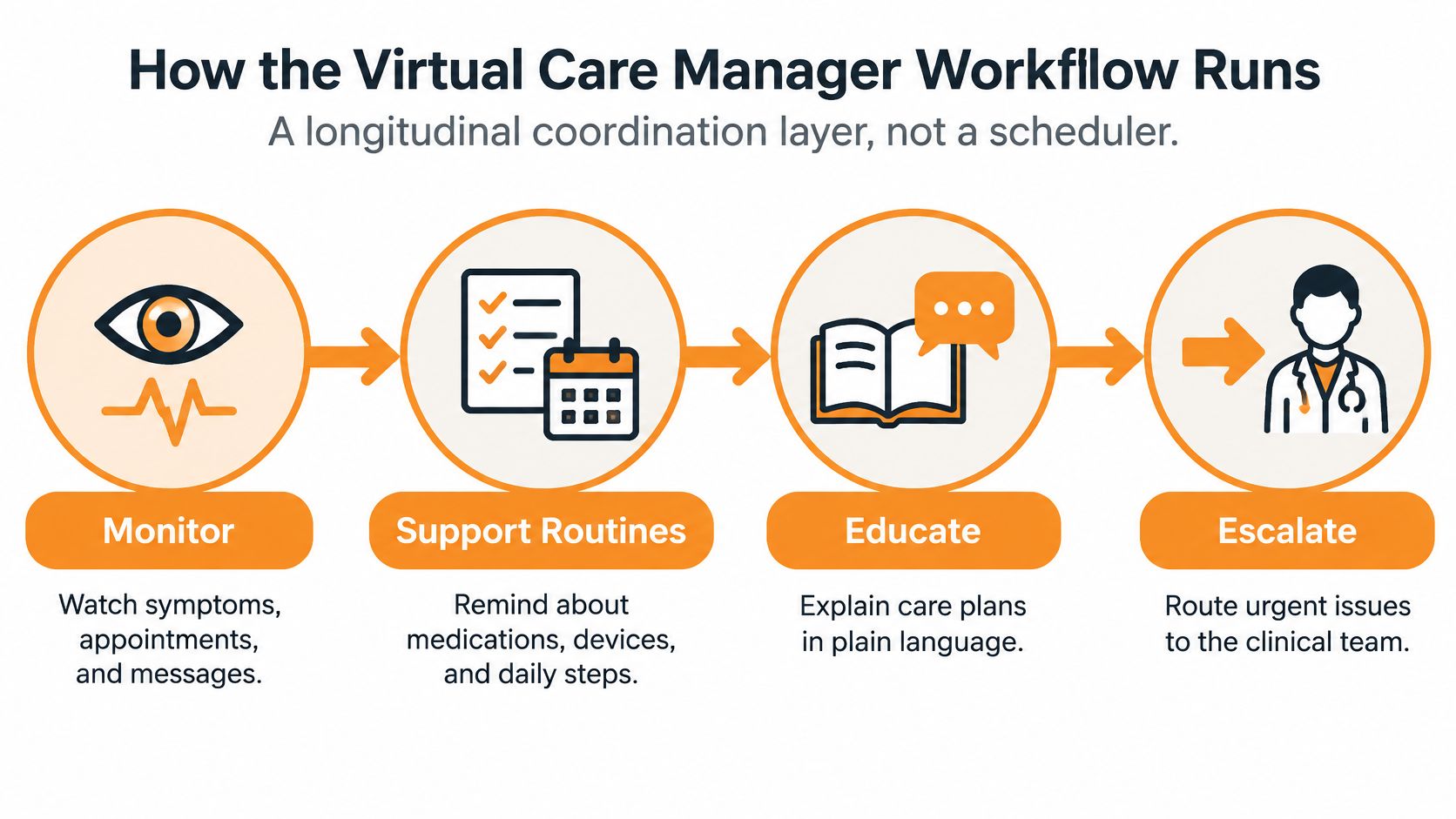
A working loop from signal to resolution
The diagram groups the manager's broad responsibilities. For an individual signal, a usable workflow adds explicit ownership and a closing step.
- Collect a consented signal. For example, a person chooses to share a week of daily walking minutes. Record what the information represents and whether it came from a device or a personal entry.
- Compare it with the person's baseline. Use their usual week rather than someone else's routine. Apply an agreed persistence threshold so an isolated unusual day doesn't automatically prompt an alert.
- Assign an accountable human reviewer. Attach a named role, response window and backup contact. Sending a notification isn't the same as assigning responsibility.
- Document the action. Record a call, message or referral, including who received it and what remains outstanding.
- Confirm the outcome. Close the item when the agreed follow-up is complete, or send it onward when a response is still needed.
Say a hypothetical walking log shows several quieter days. The reviewer calls and learns that rain interrupted the person's usual outdoor route. They record the explanation and, after a later check-in, note that the usual routine has resumed.
Nothing in that example requires interpreting lower activity as an illness. The signal starts a conversation, not a diagnosis.
Who acts when something needs attention
Before a program begins, its written workflow should answer these questions:
- Initial review: Who receives an unusual activity entry or medication-related question?
- Notification order: Under what circumstances does the family hear before, after or alongside the clinician?
- Urgent situations: How does the service distinguish its ordinary follow-up process from situations requiring an emergency channel?
- Coverage hours: When are people reviewing information, and what happens outside those hours?
There isn't a universal notification order that fits every household. The order needs to reflect consent, staff responsibilities and the receiving organization's agreed process.
An alert isn't a completed handoff. Someone needs to acknowledge it, act within their role and record the result.
Before comparing vendors, draft this loop for a familiar routine. Any blank space around ownership or after-hours coverage is a useful question to take into the conversation.
Choosing Signals and Keeping Alerts Useful
A systematic review of remote-patient-monitoring interventions in npj Digital Medicine reported generally positive findings for safety, adherence, mobility and functional status, while broader physical and mental-health symptom findings were mixed. That supports a measured approach: focus on interpretable changes and useful follow-up, not the largest possible collection of data.
The evidence doesn't establish that every wellness app, activity notification or virtual care manager produces the same results. Different programs collect different information and provide different levels of human support.
Reference points for routine wellness signals
Weekly movement, sleep timing and balance-session records are examples of routine markers. The following figures describe published guidance, not personalized targets or automatic alert thresholds.
The activity reference points below come from WHO's physical-activity guidance for older adults: at least 150 minutes of moderate activity, 75 minutes of vigorous activity, higher-benefit levels of 300 moderate or 150 vigorous minutes, strengthening on at least 2 days, and balance-focused activity on 3 or more days for people with limited mobility.
The sleep entries reflect National Institute on Aging sleep materials, which describe about 7 to 9 hours nightly, regular exercise timing and avoiding exercise within 3 hours of bedtime.
| Signal | Reference point | Source |
|---|---|---|
| Weekly moderate aerobic activity | At least 150 minutes | WHO physical-activity guidance for older adults |
| Weekly vigorous aerobic activity | At least 75 minutes, or an equivalent mix | WHO physical-activity guidance for older adults |
| Higher-benefit activity level | 300 minutes moderate or 150 minutes vigorous | WHO physical-activity guidance for older adults |
| Muscle-strengthening activity | Major muscle groups on at least 2 days a week | WHO physical-activity guidance for older adults |
| Balance-focused activity | 3 or more days a week for people with limited mobility | WHO physical-activity guidance for older adults |
| Sleep duration | About 7 to 9 hours each night | U.S. National Institute on Aging |
| Exercise timing | Same times each day as a routine habit | U.S. National Institute on Aging |
| Exercise near bedtime | Avoid exercise within 3 hours of bedtime | U.S. National Institute on Aging older-adult sleep handout |
Separately, WHO's physical-activity fact sheet associates multicomponent activity combining balance, strength and other functional training with a reduction in falls of as much as 23%. That finding concerns activity programs, not a demonstrated effect of logging sessions or using a monitoring platform.
Make each alert understandable
An alert needs more than a red symbol. Its reviewer needs the recent readings, direction of change, relevant context and last action taken.
Useful specifications include individual baselines, persistence thresholds, severity tiers and timestamped acknowledgement. A missing device reading should also be distinguishable from a recorded change in someone's routine.
Software can organize that context, as explained in this overview of clinical decision support tools, but a human remains responsible for the next step. Start by choosing a small set of signals and describing the person's usual week for each, without treating population guidance as an individualized assessment.
Privacy, Consent and Inclusive Access
A meta-synthesis on older adults' digital health literacy recommends ongoing learning that includes symptom recognition, telehealth communication and confidence building. The practical issue is broader than whether someone can open an app: people also need to understand what they're sharing and how to ask for help.
Autonomy and safety aren't interchangeable. A family member may welcome more visibility, while the older adult may prefer a limited summary. A workable arrangement makes those preferences explicit rather than assuming that more access is always welcome.
Access without an app-only requirement
Different channels serve different purposes:
- Phone calls: Allow a conversation without requiring video navigation.
- Text messages: Offer short exchanges, with attention to whether someone else can see the device.
- Video: Supports face-to-face conversation but requires a workable connection and setup.
- Passive signals: Reduce manual entry, while making clear explanations of collection especially important.
- Human assistance: Provides help with setup, language needs and understanding the controls.
An offline or low-bandwidth fallback answers a simple operational question: what happens when the usual connection fails? A service can specify a phone alternative, explain whether readings are stored for later transmission and show reviewers when information hasn't arrived.
Consent should be understandable and adjustable
A practical consent arrangement identifies each signal, why it's collected, who can see it and how sharing can stop. These are evaluation criteria, not a claim that every jurisdiction requires an identical consent form.
Proxy access means another person has permission to view or manage specified information. It needn't mean access to everything, and the older adult should remain involved in defining its scope.
Privacy check: Permission to receive a weekly update isn't automatically permission to inspect every daily detail.
Retention deserves a separate conversation from access. A guide to data retention policies can help frame questions about how long records remain after sharing stops.
Ask any program:
- App alternatives: Can I participate by phone or another supported channel?
- Visibility: Who sees each signal, including family members and outside organizations?
- Changing permission: Can I switch off a signal without losing unrelated features?
Privacy rules differ by location. A qualified privacy or legal professional can confirm the details that apply where the person lives.
Real Day Scenarios for Older Adults, Families and Clinicians
According to U.S. Department of Health and Human Services telehealth utilization trends, Medicare fee-for-service telehealth visits increased 63-fold in 2020, more than 20% of U.S. adults reported a telehealth visit in July 2022, and 25% of Medicare fee-for-service users received a telehealth service in 2024. Those figures describe remote encounters, not proof of virtual care management outcomes, but they show the setting in which coordination now takes place.
The following scenes are illustrative examples, not real client stories or measured results.
An older adult keeps the context in the conversation
A retired teacher's walking log shows a short run of quieter days. Her manager calls rather than assuming the graph explains what happened.
She says she's been waiting at home for repairs and has a question she'd like her clinician's office to receive. The manager records her explanation, forwards the question through the agreed channel and checks that the office acknowledges it.
For the older adult: The intended benefit is continuity, with room to explain an ordinary change in her own words.
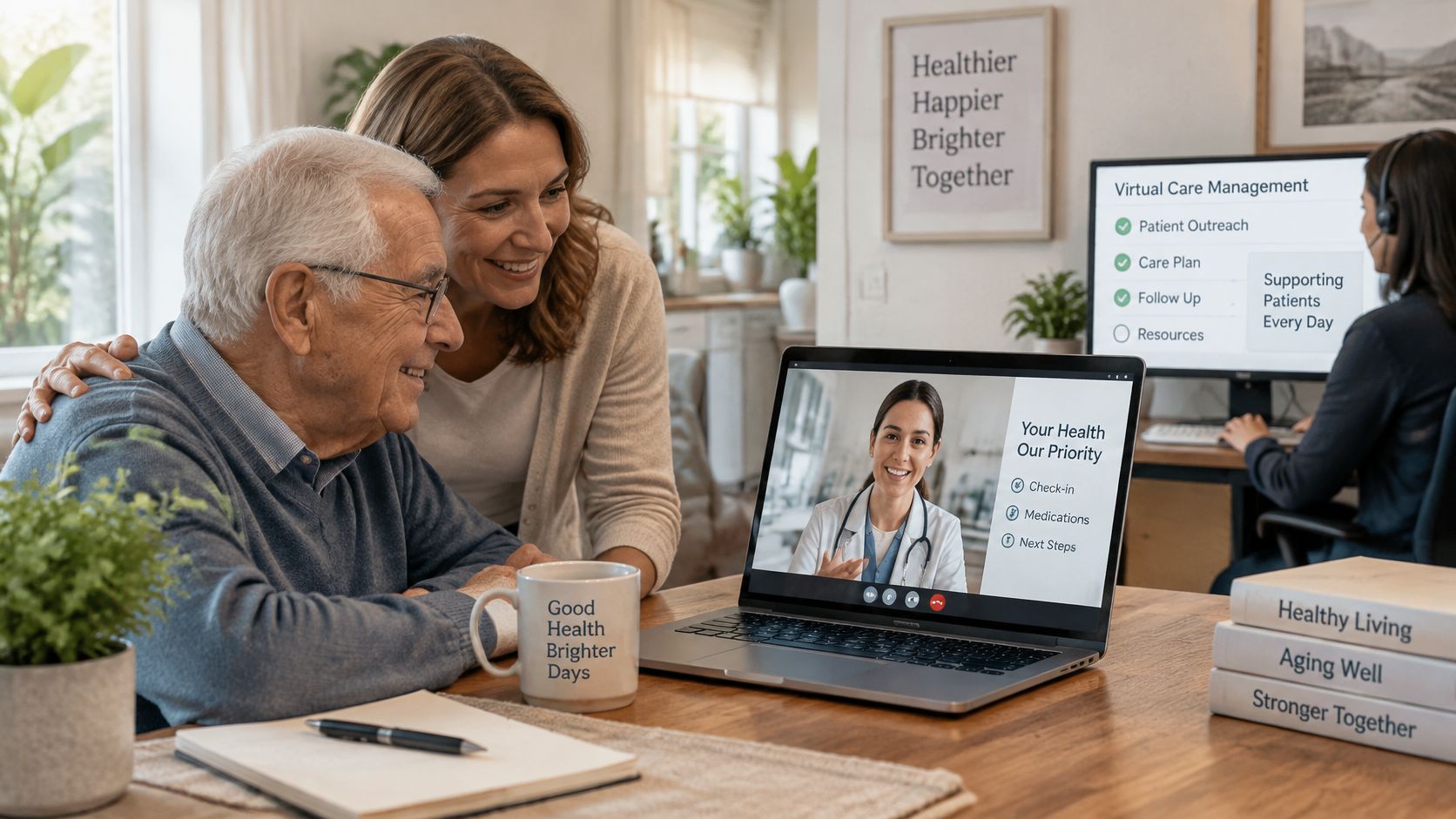
A family gets an agreed summary
An adult child living far away receives a weekly summary covering the updates her father has chosen to share. She forwards selected practical details to a sibling within his agreed sharing permissions.
The summary distinguishes completed check-ins from unanswered messages. That gives the family something clearer than trying to interpret silence or reconstruct the week from separate conversations.
For caregivers: The intended benefit is timely information without having to guess what an absent update means. Connected care for families explores this kind of organized communication.
A clinician receives context rather than a data dump
A clinician receives a concise alert showing the recent trend, the person's explanation, the last contact and a suggested owner. Instead of searching through raw entries, the clinician can identify what question needs attention.
A brief review may be possible in this hypothetical scene, but its duration isn't a guaranteed service outcome. The useful distinction is between a prepared summary and an unexplained notification.
For clinicians: The intended benefit is organized context and a clearer handoff.
Sketch a scene from your own household using a familiar routine, such as a morning walk or weekly class. Write down who would notice a change, what you'd want them to ask and who should hear the answer.
Measuring Whether the Program Works
The AHRQ telehealth framework identifies patient experience, provider experience, population health and cost as outcome domains. Login counts alone don't answer whether people understand the service, reviewers can manage the workload or follow-up reaches completion.
A dashboard may show frequent activity while unresolved messages remain in a queue. Evaluation needs to distinguish participation from completed coordination.
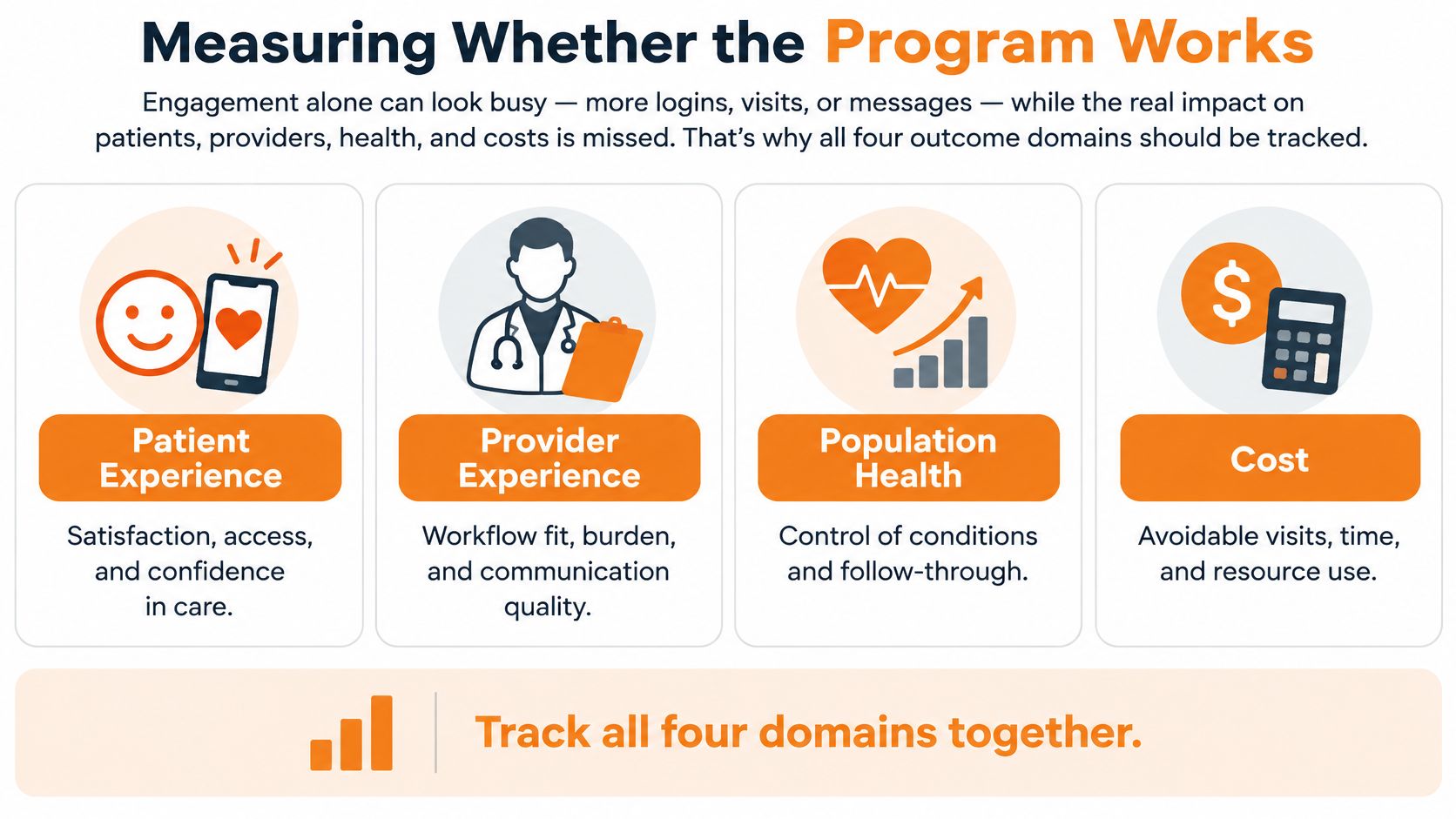
Outcome measures across the four domains
The operational row below complements the outcome domains. It describes how the service runs, rather than adding another health outcome.
| Domain | Example measure | How to read it |
|---|---|---|
| Patient experience | User satisfaction and ease of use | Review regularly and look for drops after changes |
| Provider experience | Alert volume per reviewer and documentation time | Investigate high volume for noise or workload problems |
| Population health | Functional measures such as mobility and balance-session counts | Compare each person with their own baseline |
| Cost and utilization | Avoidable emergency transfers | Review each case rather than chasing a raw count |
| Operations | Alert-to-review time, review-to-action time and share of alerts resolved | Shorter intervals indicate faster processing, not necessarily better outcomes |
Timing measures need clear definitions. For example, a recorded acknowledgement isn't equivalent to a conversation, and marking an alert closed doesn't establish that the underlying question was answered.
A manageable review routine
For a hypothetical pilot, establish an initial baseline, then schedule recurring reviews. Monthly reviews can be an administrative choice rather than a research-established standard.
- Check completion: Examine unresolved alerts and whether staff followed the agreed escalation process.
- Check experience: Ask whether notifications are understandable and whether documentation adds unnecessary work.
- Check context: Review any rise in potentially avoidable emergency transfers case by case, without treating fewer transfers as the only goal.
Functional measures also need context about missing entries, device changes and ordinary schedule disruptions. Pick a pair of measures from the table and put a review date on the calendar before the pilot starts.
Vendor Checklist and How to Start Small
A 2025 evaluation of hybrid virtual primary care found that roles and responsibilities and communication each accounted for 13.2% of reported barriers, while coordination and collaboration accounted for 11.8%. Those findings concern implementation barriers, not vendor rankings, but they make ownership a concrete purchasing question.
A polished demonstration can show how a notification appears. Ask the provider to demonstrate what happens when the usual reviewer is unavailable or an outside office doesn't acknowledge a message.
Vendor evaluation checklist
| Criterion | What good looks like | Red flag |
|---|---|---|
| Escalation ownership | A named role and response window for each alert tier | Alerts go to a shared inbox with no owner |
| Consent controls | Per-signal consent that is easy to change or withdraw | One checkbox covers everything |
| Clinical handoff | Summaries sent to clinicians in an agreed format | Clinicians must dig through raw data |
| Inclusive access | Phone, text, video and human help options | Only an app with no fallback |
| Records integration | Connects with existing health records and care-team tools | Manual copy-and-paste between systems |
| Outcome reporting | Reports across the outcome domains, not engagement alone | Only login counts and usage charts |
| Governance | Written clinical governance for privacy, monitoring and data use | No written policy available to share |
Use plain ratings such as documented, demonstrated or unanswered. A verbal assurance can remain unanswered until the provider supplies the relevant workflow or policy.
The first test is specific: can the provider name who reviews an alert and the expected response window? If not, leave escalation ownership unresolved rather than awarding credit for having notifications.
Keep the pilot narrow
A hypothetical household pilot could begin with a few agreed signals, a named reviewer and a scheduled review after a trial period. A calendar choice such as a ninety-day review is a planning option, not an evidence-based promise of results.
Keep a simple record of unanswered alerts, confusing permissions and failed handoffs. Expand only after the people involved can demonstrate that the existing process works as agreed.
Rx360 can be evaluated alongside other providers using this same checklist, without assuming that platform features establish staffing arrangements or response guarantees. Score a pair of providers against the same criteria, then choose a single routine signal to pilot first.
Rx360 offers a wellness platform combining Health Insights, Smart Technology and Connected Care to help independent older adults share relevant updates with loved ones and care providers. Visit Rx360 to explore its support-circle approach, and use the checklist above to ask how its features would fit your household's consent, communication and follow-up arrangements.
Lower-Risk Medication Plan Checklist
Below is a practical checklist and step plan you can implement into your daily life:
-
List all medications
Include prescriptions, over-the-counter drugs, supplements, sleep aids, creams, patches, eye drops, and inhalers.
-
Mark fall-risk drugs
Flag medicines that cause dizziness, sleepiness, confusion, blurred vision, low blood pressure, or low blood sugar.
-
Ask for a medication review
Bring the list to a pharmacist or prescriber.
-
Review after any warning sign
Request a new medication check after a fall, near-fall, new prescription, dose change, dizziness, or confusion.