What good is an activity tracker with lots of features if it's uncomfortable to wear, misses your slower steps, or makes you feel watched? Choosing an activity tracker for seniors means looking beyond the feature list to the everyday experience: wearing it, charging it, understanding it, and deciding what to share.
A useful starting point is your own routine. Whether you enjoy neighborhood walks, gardening, or keeping in touch with family, the question is what information you'd like to see, without turning your day into a competition.
Table of Contents
- What an Activity Tracker Does for Older Adults
- Features That Matter Most for Independent Living
- Check Comfort, Battery and Setup Before You Choose
- How Accurate Step Counts Are at Slower Speeds
- Sleep and Daily Movement Patterns
- Keeping the Habit Going Past the First Month
- Sharing Data and Protecting Privacy
- Choosing and Trying Your Tracker
What an Activity Tracker Does for Older Adults
A nationally representative study published in 2018 of 1,252 internet users aged 65 to 99 found that 8.6% used a wearable activity tracker, and adults aged 65 to 74 were nearly 1.4 times more likely to use one than adults aged 85 and older. The study also associated higher education, higher income, and better self-reported health with greater use. Those associations describe who used trackers, not who should use one.
Say you take a walk, do some shopping, and spend the afternoon at home. A tracker records movement during those activities and displays an estimate of your steps. Many wrist-worn or clip-on models also send information to a phone app, rather like a pedometer that remembers.
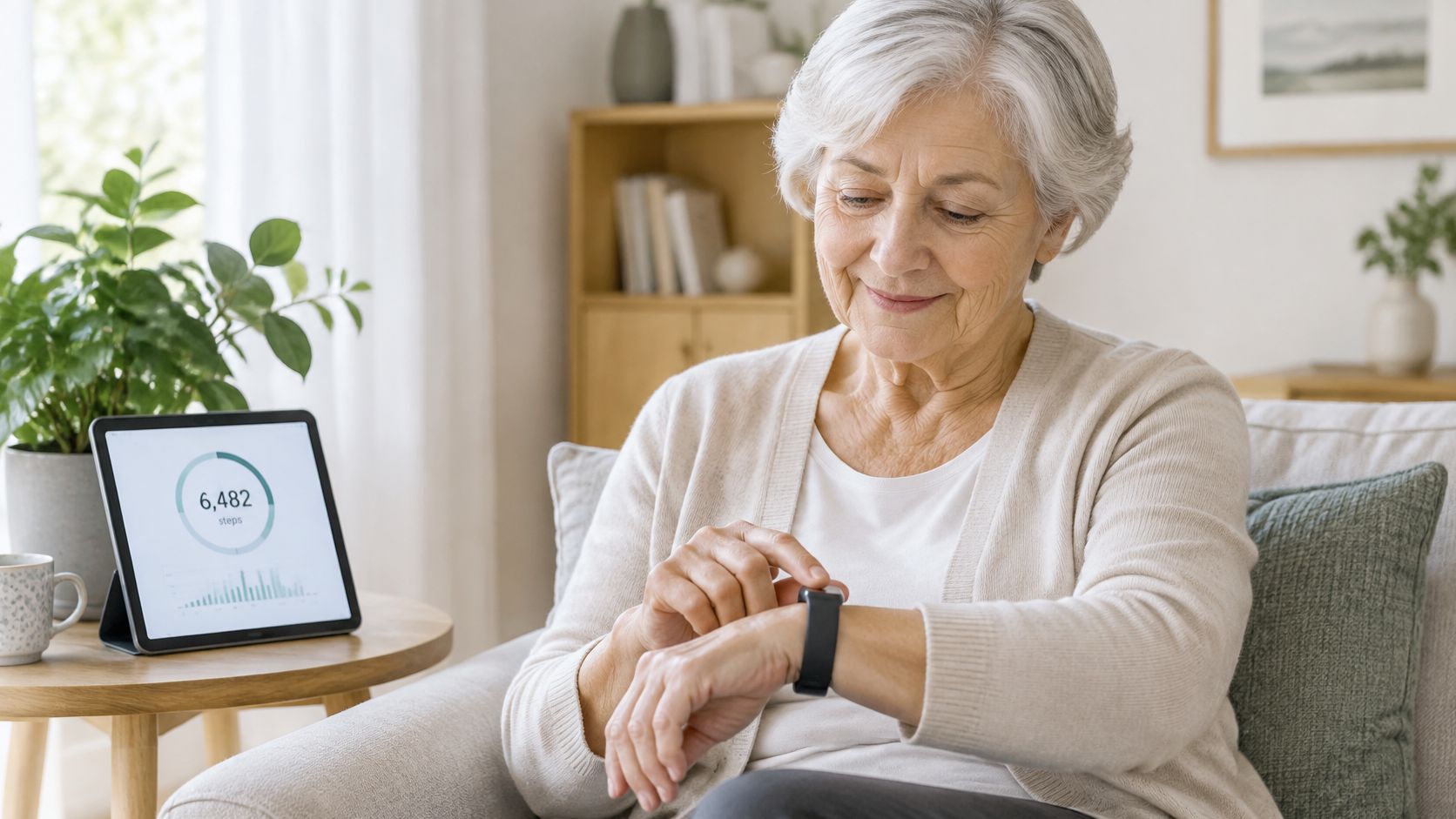
Depending on the model, the daily display may put steps, distance, sleep estimates, and heart rate together. That creates a picture of routines rather than a score you have to beat. You might want to see how a walking day differs from a day spent reading or visiting friends.
Start with purpose: Do you want a daily view of movement, a way to share updates with family, or mainly a reminder to get moving?
Those are different needs. The practical questions are which features match yours, whether the device feels comfortable and is easy to set up, how it counts slower steps, and whether its reminders and sharing settings suit you.
Features That Matter Most for Independent Living
Step count appeared in 14 participant accounts, heart-rate monitoring in 10, sleep monitoring in 7, and distance tracking in 6 in a 2025 study of older adults' experiences with wearable trackers. Participants described valuing immediate, flexible access to these measurements as a way to stay aware of activity, effort, and bodily responses during everyday movement.
These are counts of mentions in a qualitative study, not a ranking of what every older adult needs. Someone who enjoys walking might look at distance, while someone interested in nighttime routines might pay more attention to sleep estimates.
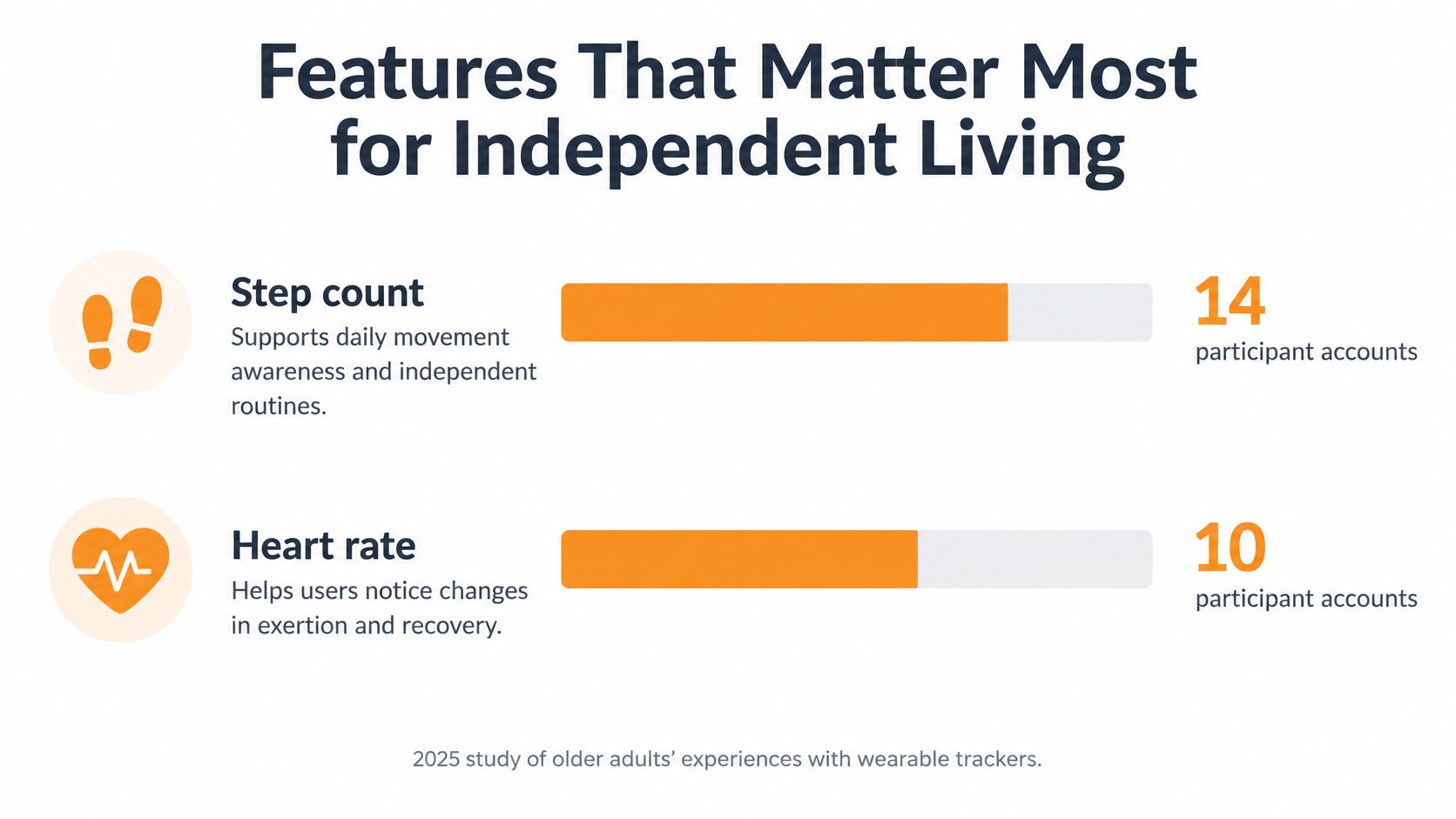
Reading the feature list
The broader picture includes more than familiar dashboard numbers. A 2025 systematic review of 109 wearable-device studies involving older adults identified mobility as a health target in 23 studies, activity recognition in 22, and fall-related monitoring in 18.
Tracker features and how often the research counted them
| Feature | What It Records | What the Research Counted |
|---|---|---|
| Step count | Daily steps and walking totals | Mentioned in 14 participant accounts |
| Heart-rate monitoring | Pulse during activity and rest | Mentioned in 10 participant accounts |
| Sleep monitoring | Time asleep and night-time patterns | Mentioned in 7 participant accounts |
| Distance tracking | Distance covered on walks and errands | Mentioned in 6 participant accounts |
| Mobility | Movement and walking ability over time | Health target in 23 of 109 wearable studies |
| Activity recognition | Type of movement or activity | Target in 22 of 109 wearable studies |
| Fall-related monitoring | Fall-related signals and alerts | Target in 18 of 109 wearable studies |
Think of the familiar measurements as a daily routine dashboard. Seeing a walk's distance alongside movement and sleep information provides context, but you don't need to inspect every measurement every day. Check that the screen gives easy access to the information you want.
Activity tracking and safety features aren't interchangeable
A step counter doesn't automatically include fall-related alerts, location sharing, or a way to request assistance. If those functions are part of your search, 3rd-i's resource on choosing a wearable safety alarm offers a separate set of product considerations.
Read each model's description rather than assuming a feature is included because the device looks like a smartwatch. Study counts describe what researchers measured, and participant accounts describe perceived usefulness. Neither establishes that a particular feature improves health outcomes.
Check Comfort, Battery and Setup Before You Choose
A 2025 review of wearable-device use among older adults identified barriers including difficult setup, cost, privacy concerns, and uncertainty about data storage. Practical issues such as fit, charging, synchronization, and controls also deserve attention when comparing devices, not just sensor specifications.
Start with the model's specification sheet and user manual. Test fastening the band, reading the display, and opening the app when a demonstration is available.
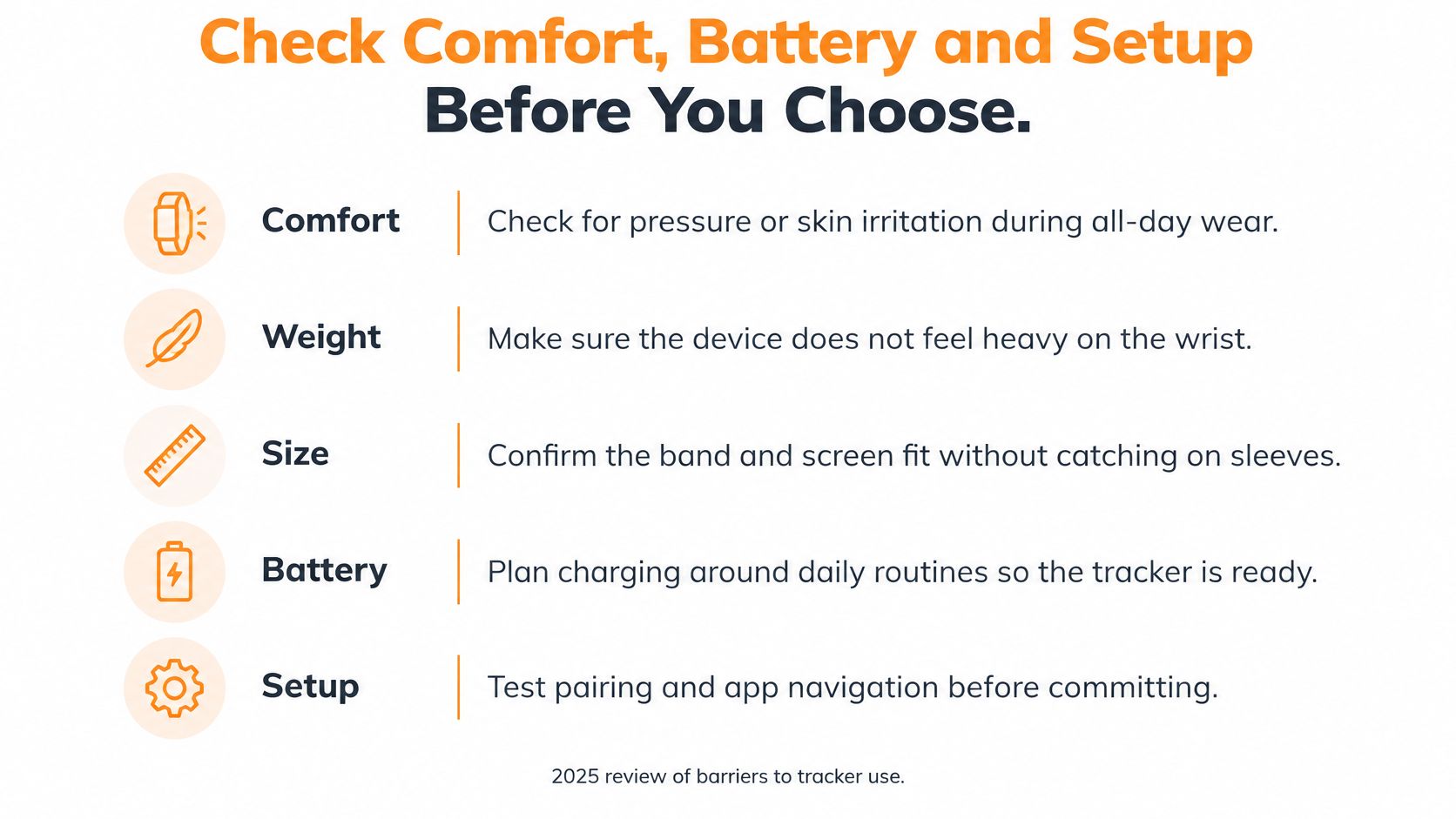
A checklist for everyday use
Pre-purchase checklist for a senior activity tracker
| Check | What to Look For | Barrier It Addresses |
|---|---|---|
| Comfort | Fit that stays comfortable through a full day of wear | Discomfort, heaviness and device size |
| Controls | Readable display with simple controls | Unclear controls |
| Water resistance | Stated bathing permissions and suitability for overnight wear | Uncertainty about when the device must be removed |
| Battery | Long life with a clear explanation of what happens to unsynced data if it dies | Charging |
| Setup and cost | Easy setup with an upfront price | Difficult setup and cost |
Water resistance and overnight comfort are separate questions. Check the manufacturer's bathing instructions rather than treating a water-resistance label as permission for every water activity.
For the battery, look beyond the advertised runtime. Find out how charging works, whether the cable is included, and whether recorded information stays on the device until it syncs. Ask the seller to clarify anything the documentation doesn't explain.
Keep comparisons focused
Band shape and fastening style are worth checking across categories. Venus Health Co.’s guide to the best fitness tracker for women is another comparison resource, but your own fit, display, and setup checks remain the relevant test.
At Rx360, we're a modern wellness platform designed to support active, independent living, with Family Connection to keep loved ones close when they're far away. Our Pilot Services aren't medical devices and are intended for informational purposes only as a wellness tool. The purpose is supporting routines and connection, not replacing care.
How Accurate Step Counts Are at Slower Speeds
Does a tracker count each step the same way when you walk slowly? Often, it does not. A device's sensor detects movement, then its algorithm decides whether that movement counts as a step. At a slower pace, or when walking with an assistive device, the movement may be harder for the algorithm to recognize.
A validation study of objective activity monitors reported different accuracy across the tested devices. StepWatch had the highest accuracy in the study, while ActiGraph substantially undercounted steps among slow walkers and people using assistive devices. These results apply to the monitors and conditions tested, not to every current wrist tracker.
What happens as walking slows
In general, step-count error can increase as walking speed decreases. That makes a displayed total less useful as an exact record of movement at a slow pace. It may still help you compare your own activity across similar days.
A walk around the kitchen also differs from continuous walking along a clear path. A validation report involving older adults described devices that performed reasonably during continuous walking but lost accuracy during non-continuous walking and simulated daily activities.
Checks that make the display easier to interpret
- Compare your own trends. Look at totals across several weeks rather than treating one day's number as a precise account.
- Notice the setting. A steady walk and stop-and-start household movement may register differently.
- Check what was tested. Look for validation at slower speeds and, where relevant, with a cane or walker. A general accuracy claim may not address either situation.
A step count estimates detected movement; it does not measure how meaningful your day was.
Cooking, tidying, and visiting can involve plenty of movement without long stretches of continuous walking. Read the count alongside what you did, and use your own routine as the comparison point rather than someone else's total.
Sleep and Daily Movement Patterns
A prospective cohort study of community-dwelling older adults found that higher daily step counts were associated with better sleep efficiency, fewer nighttime awakenings, less time awake after falling asleep, and less napping. Participants wore a wrist sensor during the day and night, except while bathing. These were associations, not proof that walking more caused better sleep.
Sleep efficiency describes how much of the time in bed was spent asleep. That's different from counting hours between bedtime and getting up. A tracker's sleep display can put nighttime estimates alongside daytime movement, but it doesn't explain every reason those patterns differ.
Put the numbers beside ordinary life
Try keeping a brief log for a week, noting bedtime, daytime walks, and how rested you feel. Include context such as travel, visitors, or an unusual schedule so that the app isn't your only record.
- Write down the routine. Note whether you walked in the morning, afternoon, or evening.
- Include your own impression. Record whether you felt rested rather than relying only on the displayed score.
- Compare several days. Look for repeated patterns without drawing a conclusion from a single night.
Say the display suggests more nighttime waking after a busy day. That observation alone doesn't tell you why it happened, or whether movement had anything to do with it. Your notes help preserve that uncertainty instead of turning a coincidence into a rule.
Our guide to sleep and recovery offers related reading about everyday routines. A tracker doesn't diagnose sleep problems. A simple log is a record of your experience and, if you choose, a conversation starter with someone you trust.
Keeping the Habit Going Past the First Month
A 2019 peer-reviewed focus-group study summarizing earlier tracker research reported that approximately one-third of users across adult age groups stopped within six months, one cited study found adults aged 70 and older quit after approximately two weeks, and a longitudinal study of active older adults found three-quarters stopped after four weeks. These were separate studies, not a prediction of what any individual will do.
The same paper described a 14-week study of 20 adults aged 65 to 77 in which step counts and moderate-to-vigorous activity time waned significantly, with p < 0.00001 for both measures. It also discussed technical failures and lost devices as explanations for discontinuation. Buying a tracker and continuing to use it are different experiences.
Make the trial about fit, not willpower
Hard-to-read feedback, awkward maintenance, and fading interest are practical issues to examine. Putting a tracker aside doesn't automatically mean someone failed to form a habit.
- Choose a familiar activity. A walk to the mailbox can give the tracker a clear place in an existing routine.
- Give charging a home. Keep the charger somewhere you can find it and connect charging with a predictable part of your day.
- Make review optional and social. If you enjoy it, look at the weekly display with a friend or family member rather than comparing competitive scores.
For more everyday prompts, our daily habit tracker ideas can help you identify a routine you want to record.
Trial question: Is the tracker adding useful information, or adding another task?
Consider a two-week trial with a planned check-in, provided the seller's return terms allow it. Treat that as a practical experiment, not a research-backed deadline. Review whether you wore it comfortably, understood the display, and wanted to keep using it.
Reminders can be invitations rather than demands. If streak alarms or repeated prompts feel stressful, switch them off where the settings allow. Sustained use involves both device design and a routine that fits the person wearing it.
Sharing Data and Protecting Privacy
Feeling watched can change the experience of tracking. In qualitative research on older adults' experiences with activity trackers, participants described stress when information was incomplete, inconsistent, or hard to interpret, along with pressure from repeatedly checking targets. More feedback isn't automatically more reassuring.
Motivational feedback leaves room for choice. Digital nagging feels like a demand to explain yourself or complete a target regardless of your day. The reminder settings you choose can reflect that difference.
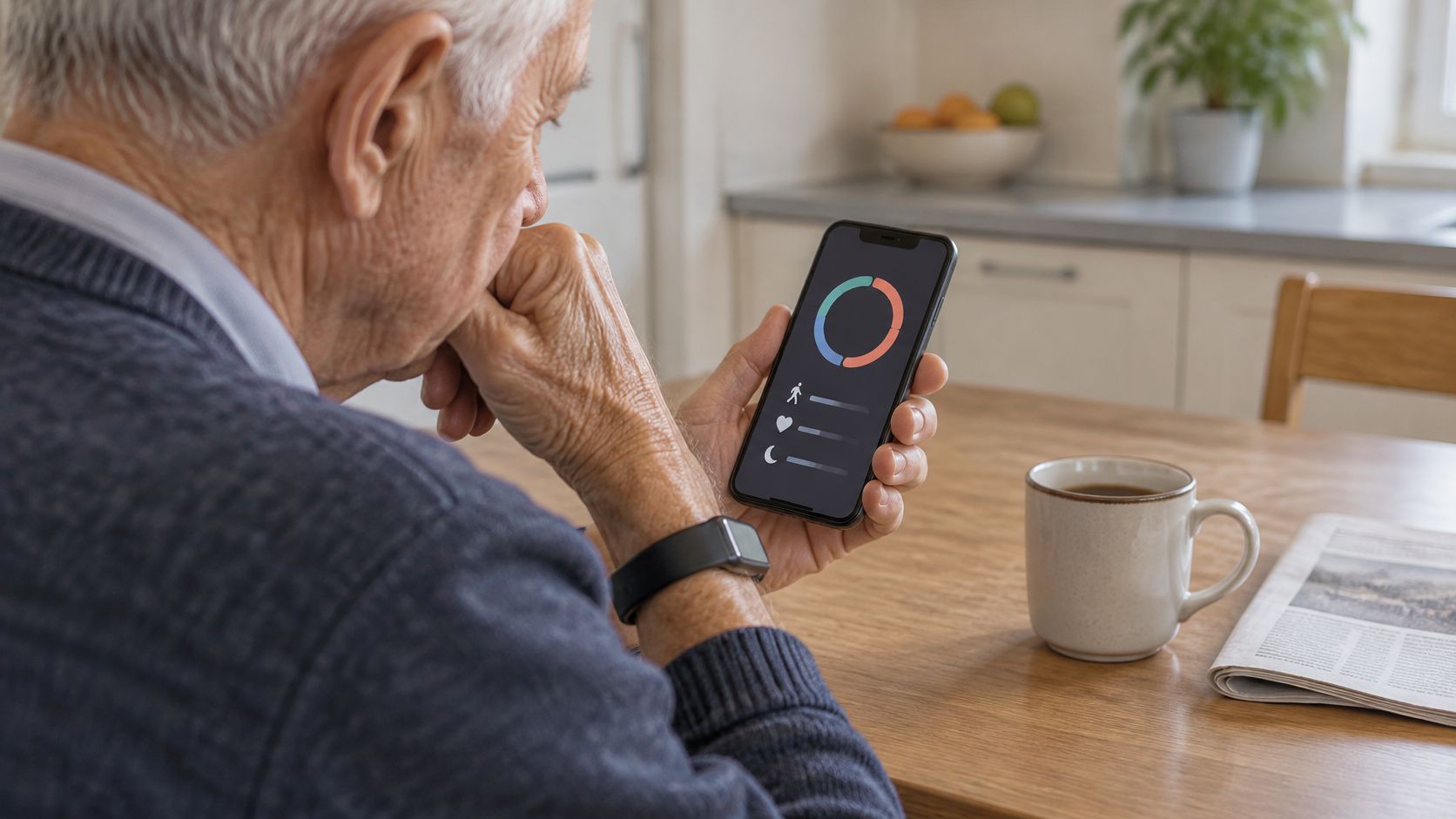
Agree on what sharing means
For our medication taker users who opt in to Support Circle Sharing, Customer Data is shared with designated caregivers and/or loved ones. Participation in sharing is a personal decision. Before enabling it, review the available consent controls and how to change your choices.
- Choose the audience. Decide who you want involved, rather than assuming everyone needs access.
- Clarify the detail. Check whether sharing includes summaries, individual readings, or other information.
- Agree on a response. Discuss when someone should send a friendly message, rather than treating every quiet day as a concern.
Our guide to patient-generated health data provides context for information people record outside formal appointments.
Read the policy as well as the dashboard
Privacy concerns and uncertainty about storage policies are documented barriers to wearable use. Read what the service says about storage, access, deletion, and consent before you turn sharing on. Our SMS notifications aren't a life-safety or emergency notification system and don't replace emergency services or caregiver supervision.
A sustained change from someone's usual routine provides different context from an isolated low reading. Weather, illness, mobility limits, or not wearing the tracker may explain a missed target. Agreeing on that uncertainty helps keep sharing connected to conversation rather than surveillance.
Choosing and Trying Your Tracker
The feature studies, usability findings, and walking-validation results point to different questions, not a universal winning device. Which information fits your independent routine? Does the device work at your walking pace, and can you comfortably manage it day to day?
Turn the comparison into a decision
- Pick the information you want. Choose among steps, distance, sleep estimates, heart rate, or movement patterns. A longer feature list isn't the same as a closer match.
- Run the everyday checks. Examine comfort, controls, water-use instructions, charging, setup, and total cost. Keep unanswered questions on a written shortlist.
- Match testing to your walking. Favor documented validation relevant to slower or assisted walking when that reflects your routine.
- Set sharing boundaries. Read the storage policy and decide who, if anyone, should see summaries or individual readings.
- Try ordinary life with it. Use the trial period to test fastening, charging, and app navigation. Invite a family member to review settings if you'd find that helpful.
If you're still deciding between device categories, the fitness tracker vs smartwatch comparison is a resource for exploring that distinction.
Keep the choice yours: You can value connection without wanting constant measurement.
A tracker can support routines and communication, but it isn't a replacement for care. Keep the device that fits your everyday life, including your preference for how much information and interaction you want.
Rx360 offers a wellness platform for independent older adults, bringing together wellness insights, supportive technology, and trusted connections. Visit Rx360 to explore how its approach to everyday awareness and family connection fits the routines and independence you want to maintain.
Lower-Risk Medication Plan Checklist
Below is a practical checklist and step plan you can implement into your daily life:
-
List all medications
Include prescriptions, over-the-counter drugs, supplements, sleep aids, creams, patches, eye drops, and inhalers.
-
Mark fall-risk drugs
Flag medicines that cause dizziness, sleepiness, confusion, blurred vision, low blood pressure, or low blood sugar.
-
Ask for a medication review
Bring the list to a pharmacist or prescriber.
-
Review after any warning sign
Request a new medication check after a fall, near-fall, new prescription, dose change, dizziness, or confusion.